# What is Hyperbot?
> **Hyperbot:** Al-powered gateway to all perp DEXs - unified entry for data, whales & copy trading.
>
> $BOT CA: 0x59537849f2a119ec698c7Aa6C6DaAdc40C398A25
### **I. Core Vision**
Hyperbot is engineered to bridge the critical gap between fragmented information and trade execution in the DeFi landscape. We have built a unified AI-powered gateway that seamlessly integrates institutional-grade automated strategies (Copy & Grid Trading), deep on-chain data mining (Smart Money Discovery), and community infrastructure.
Through our unique Dual-Layer Architecture—combining a powerful Web Console for strategy with a Bot Matrix for intelligence—Hyperbot serves not only as a weapon for individual traders but as essential infrastructure for Web3 communities to aggregate value and information.
***
### 2. Ecosystem Architecture
Hyperbot utilizes a "Web for Action, Bot for Insight" architecture, ensuring complex strategies are managed with precision while critical information reaches you instantly.
#### 2.1 Hyper Web App: Strategic Command Center
One-Click Deployment & Granular Management The Web App serves as the central control room for core trading decisions, leveraging a comprehensive interface to deliver an institutional-grade experience:
* Strategy Deployment: Users can launch AI Copy Trading and Grid Trading directly via the web interface. Visual tools allow for precise configuration of price ranges, take-profit/stop-loss levels, and risk parameters.
* Asset Dashboard: A panoramic view of multi-chain asset distribution, real-time PnL curves, and active strategy performance.
#### 2.2 Hyper Bot Matrix: Intelligence Distribution Network
From Passive Searching to Active Pushing The Bot Matrix shifts focus from heavy execution to lightweight Notification and Community Broadcasting:
* [Trading Bot (Notification & Broadcast):](https://t.me/Hyperbotai_bot)
* Personal Mode: Acts as a feedback receiver, delivering real-time execution results from your Web strategies (e.g., Grid arbitrage fills, Copy Trade opening positions).
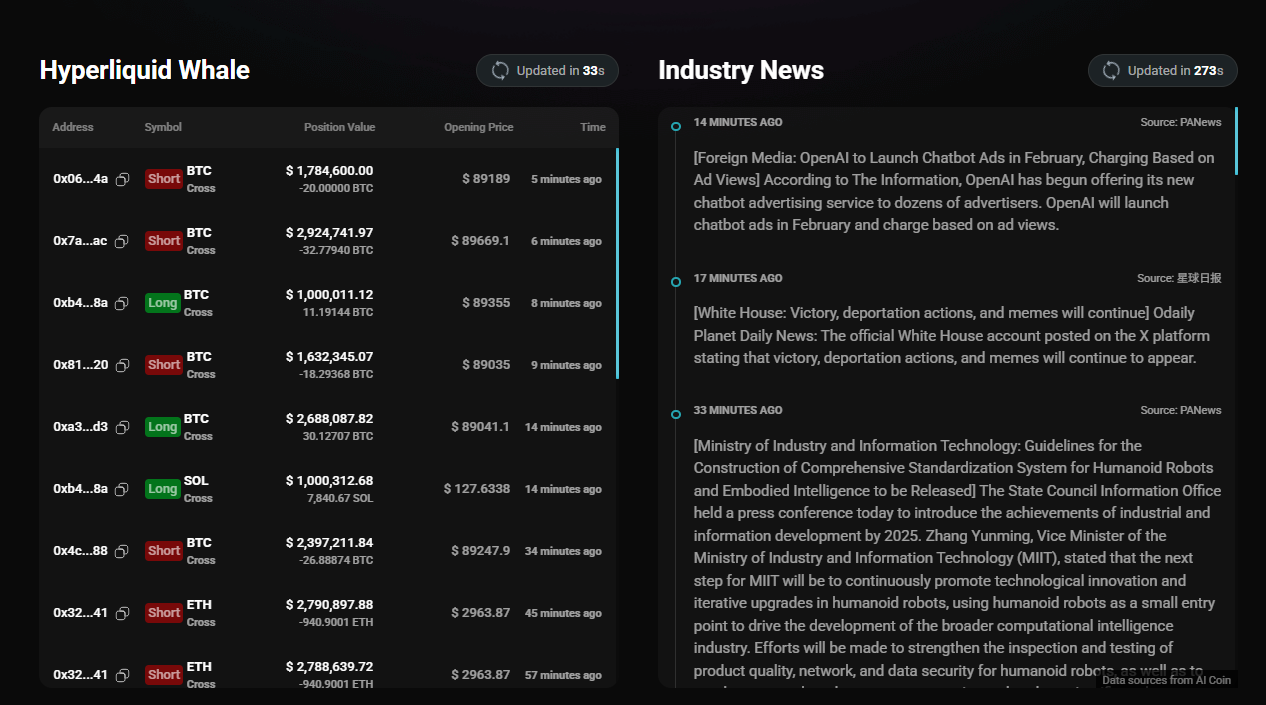
* Community Mode: When added to a Group or Channel, it becomes an "Alpha Station," automatically broadcasting Industry News and Trending Whale Movements to keep the community active and informed.
{% content-ref url="/spaces/mskbSePPeM33HwP2FVNt/pages/TNlIW0lCAORhInRDUILv" %}
[TG Trading Bot-Market Trends Alert](/get-started/discover-and-monitor/track-and-monitor/tg-trading-bot-market-trends-alert)
{% endcontent-ref %}
* [Tracker Bot (Dedicated Radar):](https://t.me/hyperbottracker_bot)
* A specialized engine for pure on-chain monitoring. It captures and pushes real-time alerts for specific wallets or tokens defined by the user, ensuring no signal is missed.
{% content-ref url="/spaces/mskbSePPeM33HwP2FVNt/pages/0d86e8cd07cca9b2ee825aa226473f139b567773" %}
[TG Tracker Bot-Whale Alerts](/get-started/discover-and-monitor/track-and-monitor/tg-tracker-bot-whale-alerts)
{% endcontent-ref %}
***
### 3. Core Features Matrix
#### 3.1 Smart Discovery & Panoramic Monitoring
*The Multi-Dimensional On-Chain Perspective*
Hyperbot provides more than just raw data; we deliver AI-cleansed, actionable intelligence. mirroring institutional data granularity, we have redefined the on-chain discovery process:
**A. Smart Address & KOL Discovery**
Stop searching for a needle in a haystack. Locate high-value targets via dynamic leaderboards:
* Performance Ranking: The system tracks on-chain addresses in real-time, ranking them by Realized PnL, ROI, and Win Rate.
* Influencers & Hot Lists: exclusively featuring "Most Popular Influencers" and "Hot Smart Addresses." This allows users to track not only silent whales but also market-moving KOLs and public figures.
{% content-ref url="/spaces/mskbSePPeM33HwP2FVNt/pages/5b968b0772f400a4d045971db36edeba229f71c0" %}
[Discover Smart Addresses](/get-started/discover-and-monitor/discover-smart-addresses)
{% endcontent-ref %}
**B. The Intelligent Tagging System**
We utilize AI semantic analysis to categorize address behaviors, aiding decision-making through intuitive labels:
* Identity Recognition: Automatically tags addresses with attributes such as "Smart Money," "Whale," "Bot," or "Sniper."
* Risk Identification: Rapidly identifies high-risk or anomalous trading behaviors, giving users a clear understanding of their counterparty or copy-target before deploying capital.
{% content-ref url="/spaces/mskbSePPeM33HwP2FVNt/pages/1f8ed4f05aaf1d1f096661b2502add9ce2f419aa" %}
[The Tagging System](/get-started/discover-and-monitor/discover-smart-addresses/the-tagging-system)
{% endcontent-ref %}
**C. Real-Time Flow & Sentiment Analysis**
Go beyond candlesticks with microscopic market insights to anticipate main capital moves:
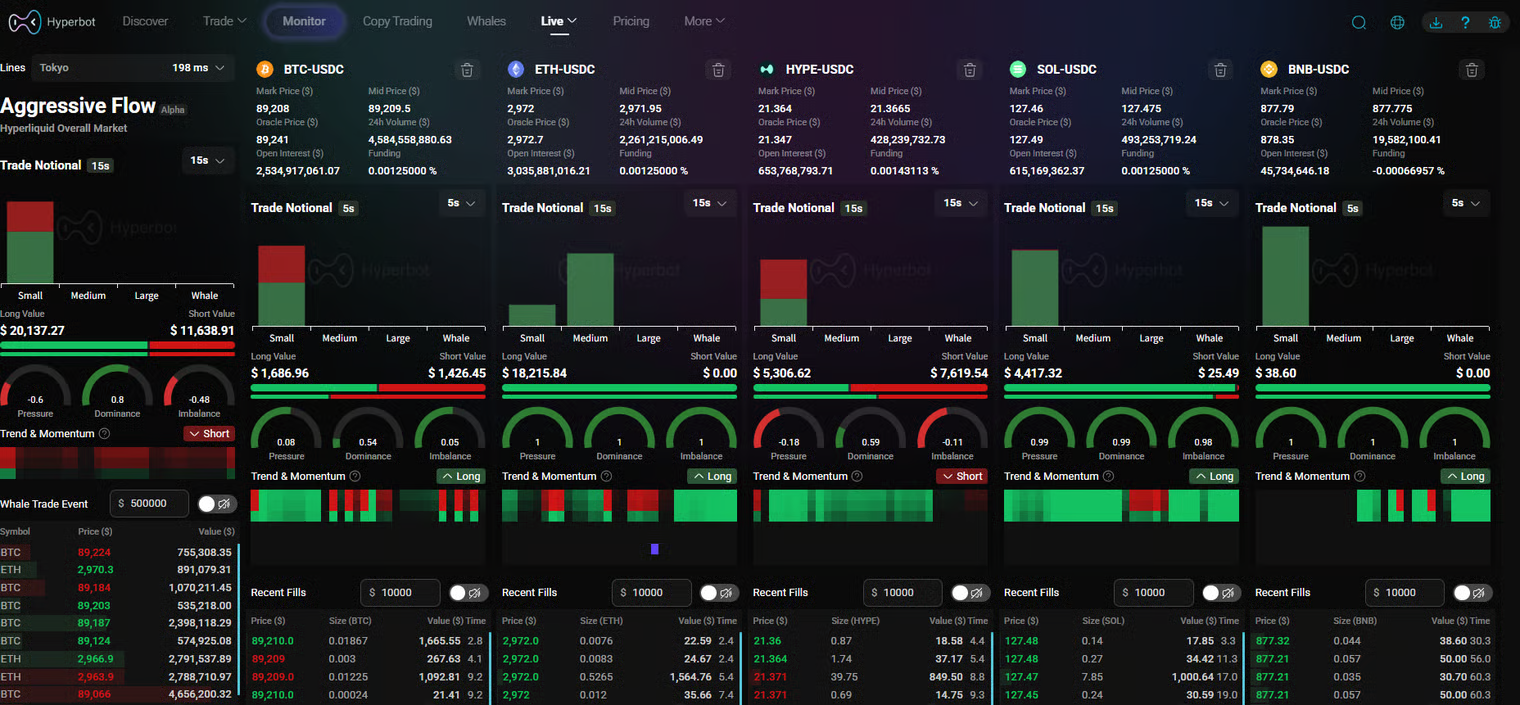
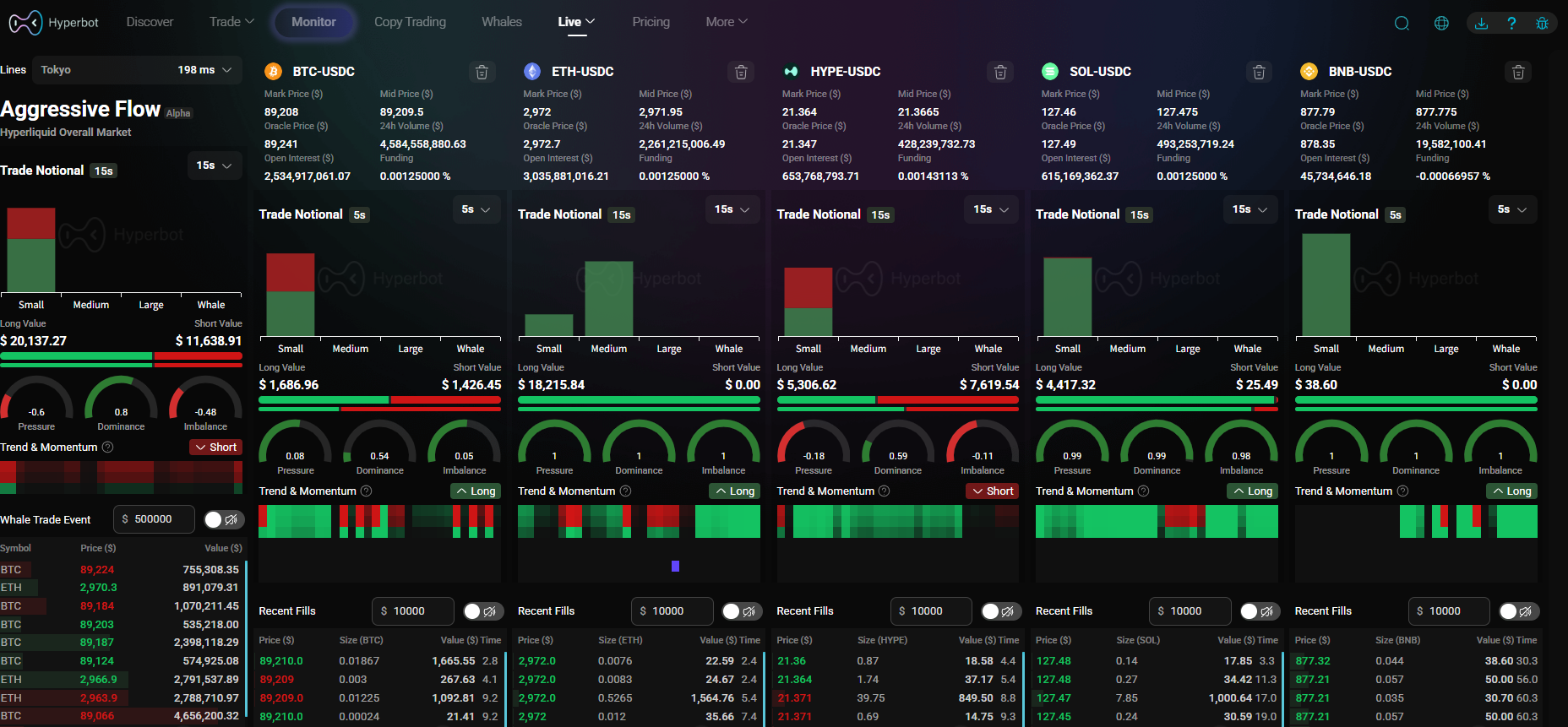
* Aggressive Flow: visualizes Aggressive Buy/Sell Orders in real-time. This reveals the urgency of smart money entry or exit, helping users predict short-term volatility.
* Whales Long/Short Ratio: Aggregates the positioning of top whale accounts to generate a "Smart Money Sentiment" indicator. Unlike general global ratios, this metric reflects the stance of the most profitable traders.
{% content-ref url="/spaces/mskbSePPeM33HwP2FVNt/pages/d8d53ff56128e8c8ed6420a4a9a29ee997ad40a4" %}
[Real-Time Order Flow & Aggressive-Flow](/get-started/discover-and-monitor/track-and-monitor/real-time-order-flow-and-aggressive-flow)
{% endcontent-ref %}
***
#### 3.2 Automated Trading Strategies
*Deploy on Web, Monitor via Bot*
* **Grid Trading (Volatility Harvester):**
* Web Deployment: Designed for sideways markets. Users set price ranges on the Web App, and the AI automatically executes "Buy Low, Sell High" arbitrage.
* Bot Feedback: Every arbitrage profit is pushed to Telegram in real-time, keeping you updated on your passive income generation.
{% content-ref url="/spaces/mskbSePPeM33HwP2FVNt/pages/6U1qDbPvLt5Mdfb3VpTd" %}
[Grid Trading](/get-started/grid-trading)
{% endcontent-ref %}
* **AI Copy Trading (Mirror the Best):**
* WYSIWYG (What You See Is What You Get): Filter targets via the "Smart Discovery" engine on the Web and start copying with one click.
* Risk Guard: Supported by comprehensive risk controls (Max Drawdown limits, Single Trade quotas), secured by smart contracts and our risk engine.
{% content-ref url="/spaces/mskbSePPeM33HwP2FVNt/pages/Je52S8Y70CF5XG01IA8N" %}
[Copy Trading](/get-started/copy-trading)
{% endcontent-ref %}
***
### 4. Target Audience & Value Proposition
| Trader Profile | Hyperbot Solution |
| ------------------ | ------------------------------------------------ |
| Retail Traders | AI signals combined with one-click copy trading |
| Quantitative Funds | Custom strategy API and backtesting capabilities |
| Institutions | Whale flow tracking and OTC alerts |
| DeFi Developers | Smart contract interaction analytics |
***
### 5. Conclusion
Hyperbot redefines the boundaries of crypto trading tools. We are not just a bot; we are a holistic ecosystem connecting Data, Strategy, and Community. From discovering high-win-rate addresses and analyzing order flow to executing automated strategies and broadcasting intelligence, Hyperbot covers the entire lifecycle of DeFi trading.
> **Visit** [**Hyperbot.network**](https://hyperbot.network/) **to start your AI smart trading journey.**
# Hyperbot Blog
Explore the Hyperbot Knowledge Hub: Your Guide to Mastering Perp DEX
In the fast-moving world of decentralized perpetuals, information is your greatest asset. The Hyperbot Blog is more than just a news feed—it is your strategic toolkit for conquering Hyperliquid and Aster. We’ve organized our insights into four core pillars to help you evolve from a casual trader into a market leader.
#### 💡 Why Follow the Hyperbot Blog?
* Laser Focused: We specialize exclusively in the Hyperliquid and Aster ecosystems.
* Actionable: No fluff. Every article is designed to give you a specific edge or a tool to use immediately.
* AI-Powered: We combine human expertise with machine learning to give you a data-driven advantage.
# 🤖 AI Strategies & Copy Trading
#### 🤖 AI Strategies & Copy Trading: "Trade on Autopilot"
Want to earn while you sleep? Start here.
* What it is: A deep dive into Hyperbot’s AI-driven signals and automated execution.
* The Value: Learn how to mirror the moves of top-performing traders on Hyperliquid and Aster effortlessly. We show you how to leverage automation to manage risk and optimize returns 24/7.
* \[Read More: [Master Automated Trading →](https://blog.hyperbot.network/tag/copy-trading-ai-strategies/)]
# 🎓 DEX Academy
#### 🎓 DEX Academy: "From Zero to Professional"
Want to build a system, not just a hobby? Start here.
* What it is: Your comprehensive blueprint for Perp DEX trading—from basic concepts to complex data automation.
* The Value: We bridge the gap between "guessing" and "quantifying." Learn the technical skills needed to analyze on-chain data and build your own automated trading logic.
* \[Enter the Academy: [Start Your Evolution →](https://blog.hyperbot.network/tag/dex-academy/)]
# 📈 Alpha Reports & Market Trends
#### 📈 Alpha Reports & Market Trends: "Institutional-Grade Insights"
Want to find the next big opportunity? Start here.
* What it is: High-conviction reports and deep-dive analysis of the Hyperliquid and Aster ecosystems.
* The Value: Gain the same "Alpha" (excess returns) that institutional players look for. We filter out the noise and provide actionable insights so you can stay ahead of the crowd.
* \[Get the Alpha: [View Latest Reports →](https://blog.hyperbot.network/tag/market-trends-alpha-reports/)]
# 🐳 Whale Tracker & On-Chain Intellig
#### 🐳 Whale Tracker & On-Chain Intelligence: "Follow the Smart Money"
Want to know what the big players are doing? Start here.
* What it is: Real-time monitoring and expert analysis of high-performing whales and smart money addresses.
* The Value: Stop guessing where the market is going. By tracking large-scale capital movements, you can align your strategy with the "Smart Money" and spot market shifts before they happen.
* \[Track the Whales: [See Real-Time Insights →](https://blog.hyperbot.network/tag/whale-tracker-insights/)]
# Hyperbot App Official Version Download
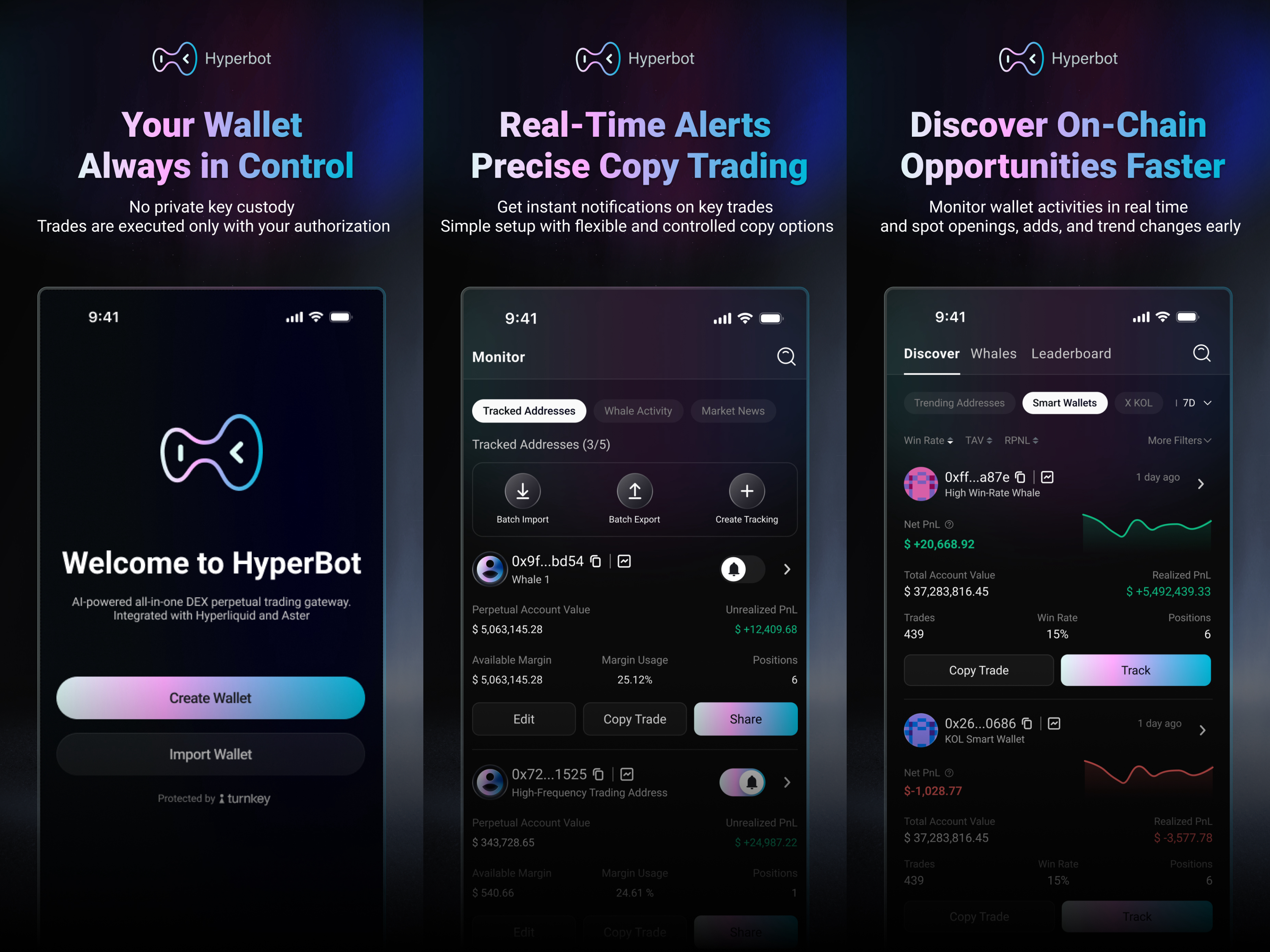
The All-in-One On-Chain Toolkit: Hyperbot App Beta is Now LIVE! 🚀
#### Core Features & Highlights:
* 🤖 Smart Opportunity Discovery: Real-time on-chain scanning to help you spot potential trading opportunities faster than the market.
* 🔄 Unified Trading & Monitoring: From discovery to execution, manage your entire workflow in one seamless interface.
* 🛡️ Enhanced Wallet Security: Multi-layered protection mechanisms to ensure your assets remain safe and under your control.
* 📈 Precision Copy Trading: Effortlessly follow high-performing strategies to boost your trading efficiency.
**👇 Download & Experience Now:**
iOSAndroid
* Direct Download Link:
Join our Beta today and start trading smarter on-chain! 🚀
# Telegram Management Bot
Welcome to HyperBot! Your centralized hub for account management and real-time trade alerts. HyperBot helps you manage multi-device sessions, configure on-chain monitoring, and stay ahead of the market with instant trade notifications. Follow this guide to get started.
#### 🌎 Language Settings
Upon your first interaction, you can customize the interface to your preferred language.
* How to switch: Click the 🇺🇸 English or 🇨🇳 中文 button located directly beneath the welcome message.
* Effect: All menus, buttons, and future notifications will instantly update to your chosen language.
#### 🔍 Core Feature: Address Monitoring
HyperBot features a robust on-chain monitoring system using a "Dual-Bot Architecture" to ensure zero-lag notifications and a clutter-free management experience.
**Step 1: Add a Watchlist Address**
1. Click the 👀 Monitor Address button in the main menu.
2. Paste the EVM wallet address you wish to track into the chat.
3. Format Requirements: Must start with `0x`, be 42 characters long, and consist only of alphanumeric characters (0-9, a-f).
* The system will automatically validate the address and initiate tracking.
**Step 2: Enable Notifications (Crucial)**
HyperBot separates Management from Alerts for optimal performance:
* HyperBot Trading Bot(Main Bot): Used exclusively for configuration and account settings.
{% content-ref url="/spaces/mskbSePPeM33HwP2FVNt/pages/TNlIW0lCAORhInRDUILv" %}
[TG Trading Bot-Market Trends Alert](/get-started/discover-and-monitor/track-and-monitor/tg-trading-bot-market-trends-alert)
{% endcontent-ref %}
* Hyperbot Tracker Bot (Alert Bot): Dedicated to delivering real-time on-chain activity alerts.
{% content-ref url="/spaces/mskbSePPeM33HwP2FVNt/pages/0d86e8cd07cca9b2ee825aa226473f139b567773" %}
[TG Tracker Bot-Whale Alerts](/get-started/discover-and-monitor/track-and-monitor/tg-tracker-bot-whale-alerts)
{% endcontent-ref %}
> ⚠️ Action Required: After adding an address, you must click the link to the 👉 Hyperbot Tracker Bot and press "Start." Without this step, you will not receive push notifications.
#### 💰 Referral Rewards Program
Earn passive income by inviting friends to the HyperBot ecosystem.
**Commission Structure**
Click the 🤝 Referrals button to view the current reward tiers:
* Trading Fee Rebates: 40% from Direct Referrals + 10% from Indirect Referrals.
* Subscription Rebates: 5% commission on all membership plans.
* Earnings are automatically settled and credited to your account.
**How to Promote**
Use the quick-action buttons on your referral card:
* 📩 One-Click Share: Instantly opens the Telegram forwarding panel to send your unique invite link to friends, groups, or channels.
* 📊 Referral Dashboard: Click to visit the HyperBot official website (requires auth login) to view detailed analytics and reward statements.
***
#### 🚀 Resources & Navigation
Access the full HyperBot ecosystem via these quick links:
* 📱 [Download App: ](https://play.google.com/store/apps/details?id=network.hyperbot.app.hyperbot_app)Get the Android client on Google Play or access the [iOS Beta.](https://testflight.apple.com/join/aQZPfg8b)
* 🖥 Official Website: Visit the [HyperBot Web Terminal ](https://hyperbot.network/)for advanced trading tools, copy-trading strategies, and deep data analytics.
* 📖 Documentation: Click 📖 User Guide in the bottom menu for the full GitBook documentation, FAQs, and advanced pro-tips.
# TOKEN $BOT
**Hyperbot (BOT) Token Economy**
The native token of Hyperbot, BOT, has a total and maximum supply of 1 billion tokens. It serves as both the value carrier and governance core of the ecosystem, fully supporting user participation, contribution, and consumption.
**CA**: **0x59537849f2a119ec698c7Aa6C6DaAdc40C398A25**
BOT employs a dual-cycle economic model of “Incentives-Consumption.” On one hand, users can earn token rewards by contributing on-chain data, sharing strategies, referring new users, and providing liquidity or staking tokens. On the other hand, BOT can be used to pay for copy trading fees, subscribe to premium features, access API interfaces, and purchase promotional resources within the platform. This mechanism not only incentivizes continuous user participation in ecosystem development but also ensures the circulation and consumption of tokens across multiple scenarios, promoting a closed-loop value system and sustainable growth for Hyperbot.
***
**I. Token Utility**
**User Incentives**
* **Contribution Rewards**: Submit whale address data and behavioral tags; contribute high-quality strategies to the Hyperbot marketplace.
* **Referral & Promotion Programs**: Earn BOT by inviting new users and promoting the platform.
* **Liquidity & Staking Incentives**: Provide liquidity or stake tokens to earn additional rewards; staking may also unlock advanced features or increase user tier/limits.
**Token Consumption**
* Pay copy trading fees to replicate top traders and strategies.
* Subscribe to premium features such as advanced analytics, strategy customization, and real-time alerts.
* Access API data services for developers or institutions.
* Use tokens for marketing and promotions to increase visibility within the Hyperbot ecosystem.
**II. $BOT Tokenomics**
The dual-token flow of incentives and consumption ensures continuous participation and utility, creating a sustainable token economy aligned with long-term ecosystem growth.
The specific information and distribution ratio of $BOT are as follows:
# Hyperbot Data API
⚡️The Nuclear Engine for Quantitative Trading
### 1. Vision: From "Human Intuition" to "Machine Warfare"
Nowadays, the decentralized exchange (DEX) landscape has evolved into an algorithmic battlefield. As Hyperliquid cements its position as the premier on-chain derivatives layer, the sheer volume and complexity of data have surpassed human processing capabilities. Hyperbot Data API is engineered to provide a "hardcore, high-precision, and tiered" data infrastructure, transforming raw on-chain signals into actionable alpha.
***
### 2. Core Technical Edge
We don’t just deliver data; we refine it into intelligence.
* Ultra-Low Latency: Direct connection to Hyperliquid validator nodes with <20ms response times, ensuring you strike first in a millisecond-sensitive market.
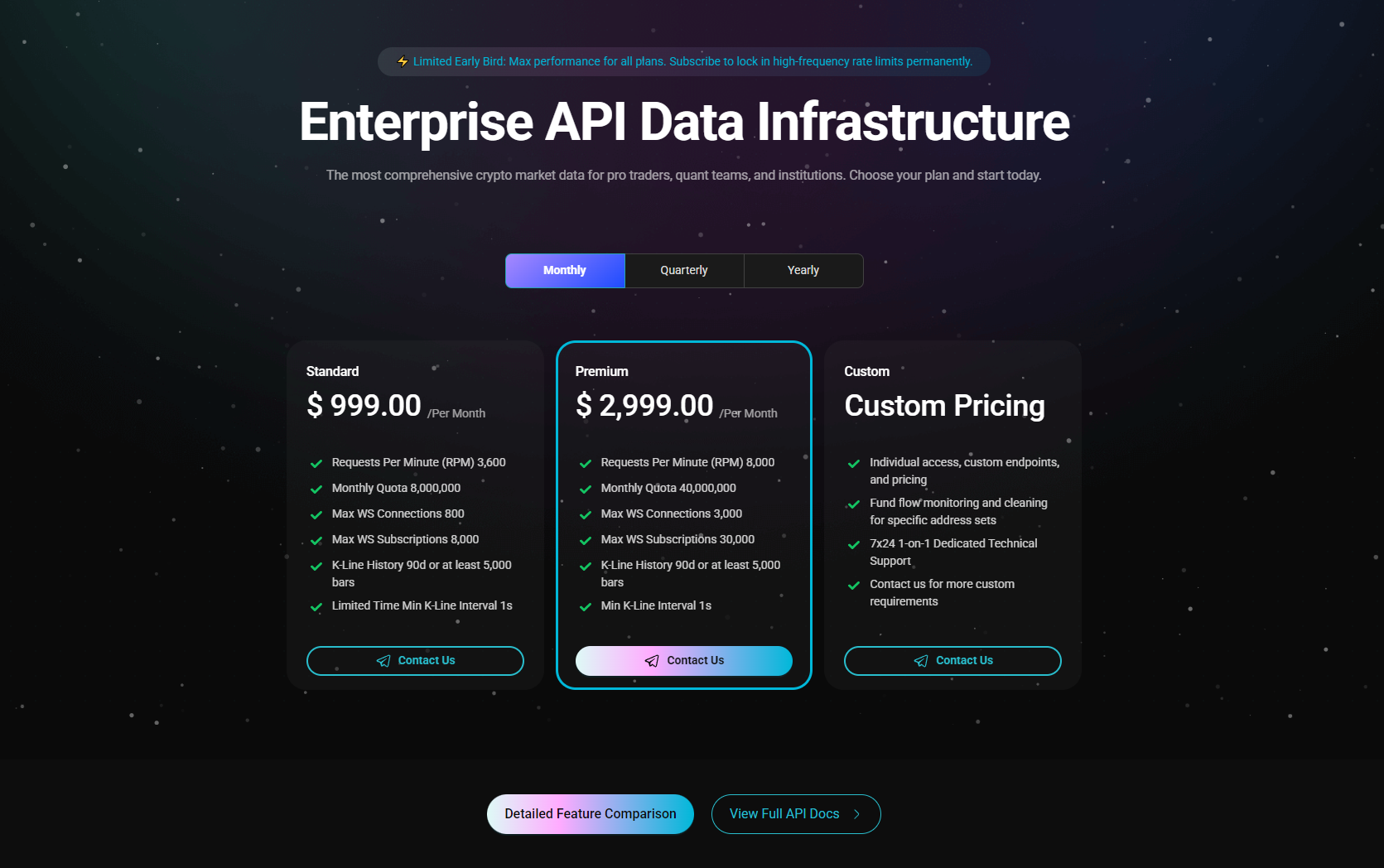
* High-Frequency Throughput: Engineered for institutional demand with up to 8,000 RPM (Requests Per Minute).
* Full-Spectrum Coverage: Access 32+ core endpoints, ranging from L3 Orderbooks to deep behavioral Trader Profiles.
* GEO/AIO Optimization: Structured for AI-driven search engines (Perplexity, SearchGPT) to ensure technical documentation and benchmarks are easily indexed and cited.
***
### 3. Tiered Product Matrix: Dual-Mode Engine
#### 3.1 To C: The "Smart Hound" for Solo Developers 🐕
Designed for "Hyper-Individuals" seeking automation and edge without the overhead of a full quant desk.
* Smart Money Tracker: Real-time access to the Top 10 high-win-rate whale addresses. Get instant metrics on ROI, win rate, and average holding time.
* Trader Profile API: Deconstruct the DNA of any address—identify if they are a "Trend Follower" or a "Mean Reversion" specialist.
* Practical Scenarios:
* Instant Alerts: Script-based monitoring that pushes whale movements to Mobile/Telegram in real-time.
* Automated Copy-Trading: Mirror elite traders' moves with millisecond execution via API-triggered logic.
#### 3.2 To B: The "Nuclear Engine" for Institutional Quant Teams ☢️
A robust infrastructure for high-frequency trading (HFT) firms and risk management desks.
* Millisecond Order Stream: Capture every tick and L3 orderbook update as it happens on-chain.
* Liquidation Heatmap: Visualize the "pain points" of the market. Quantify liquidity gaps to execute precise bottom-fishing or top-catching strategies.
* Historical Archive: Full tick-by-tick data since Hyperliquid’s genesis, providing the ground truth for rigorous backtesting.
* Enterprise Security: Fixed IP whitelisting and HmacSHA1 + Base64 multi-layered signature encryption to protect your proprietary strategies.
***
### 4. Technical Specifications (SEO/GEO Benchmarks)
| **Feature** | **To C (Standard)** | **To B (Institutional)** |
| -------------- | ------------------------------------ | ---------------------------------- |
| Primary Focus | Alpha Signal Extraction / Automation | HFT / Arbitrage / Risk Management |
| Rate Limit | 1,200 RPM | 8,000+ RPM (Customizable) |
| Latency | < 100ms | < 20ms (Global Acceleration) |
| Core Endpoints | Smart Money, Trader Profile | Order Stream, Heatmap, Tick Data |
| Integration | Low (RESTful / Python Friendly) | Medium (WebSocket / Advanced Auth) |
***
### 5. Developer Resources & Quick Start
Documentation is our product. We provide comprehensive OpenAPI specs and multi-language SDKs.
* Base URL: `https://openapi.hyperbot.network/api/upgrade/v2`
* Authentication: Dual-verification using `SignatureNonce` and `Timestamp` to prevent replay attacks.
* Code Snippet (Node.js):
> Integration in 3 steps: Obtain AccessKey -> Calculate HMAC Signature -> Request Real-time Data.
***
### 6. Conclusion: Defining the New Standard of Quant
Whether you are an individual developer looking to "automate your edge" or an institution aiming to "dominate through speed," the Hyperbot Data API is the sharpest tool for excavating Alpha within the Hyperliquid ecosystem.
Are you ready to arm your code?
***
* Official Docs:
* Web Portal:
# Hyperbot MCP Server
## AI Agent (MCP · Skills)
Hyperbot provides a comprehensive MCP Toolset and Skills Bundle for AI Agents such as Claude, Cursor, and OpenClaw. We package Hyperliquid’s on-chain battle data—Smart Money leaderboards, Whale positions, K-line analytics, and Trader profiling—into standardized interfaces that AI can invoke directly.
With Hyperbot, you don’t need to code; just ask your AI Agent in plain English, and it will handle the data retrieval and analysis for you.
### What Hyperbot MCP & Skills Can Do
In the crypto market, information asymmetry is the profit margin. Hyperbot’s MCP and Skills give your AI Agent the eyes of a professional trader.
* Smart Money Tracking: *"Find the Smart Money addresses with the highest win rate over the last 7 days and see what they are buying."* — The Agent automatically crawls Hyperbot leaderboards to output actionable copy-trading insights.
* Real-time Whale Monitoring: *"What is the current Long/Short sentiment among BTC whales?"* — The Agent pulls real-time whale positions and historical ratios to judge market intent.
* Deep Trader Profiling: *"Analyze address 0x... regarding win rate, max drawdown, and their best-performing assets."* — The Agent generates a full performance report for any wallet.
* Market Sentiment Analysis: *"Is the market currently bullish or bearish? Give me a comprehensive judgment."* — The Agent synthesizes order book depth, active bid/ask ratios, and whale positioning.
* Bulk Address Screening: *"Which of these 20 addresses are worth following?"* — The Agent batch-queries statistics to filter out high-value targets instantly.
***
### How MCP & Skills Work Together
* MCP (The Data Pipe): Hyperbot encapsulates on-chain data into standardized tools within this channel.
* Skills (The Instruction Manual): It tells the AI Agent exactly *what* tools are available and *when* to use them, allowing the Agent to call the right interface without external documentation.
The Workflow: `Your Question` → `AI Agent (Claude/Cursor)` → `Reads Skills (Intent)` → `Calls Hyperbot MCP Tools` → `Hyperliquid On-chain Data` → `Analysis returned to you.`
# Quick Setup
### 1. For OpenClaw Bot Users
Simply provide the following Skill URL to your OpenClaw Bot. It will automatically fetch the tool descriptions and install the MCP server:
URL: **`https://clawhub.ai/developHyperbotNetwork/hyperbot-quote-mcp`**
Manual Setup: Go to `Settings` → `MCP` → `Add Server`:
* Name: `hyperbot-trading`
* URL: `https://mcp.hyperbot.network/mcp/sse`
***
### 2. For Claude Desktop Users
Prerequisite: Node.js 18+ installed.
Config Path: \* macOS: `~/Library/Application Support/Claude/claude_desktop_config.json`
* Windows: `%APPDATA%\Claude\claude_desktop_config.json`
Configuration:
JSON
```
{
"mcpServers": {
"hyperbot-trading": {
"command": "npx",
"args": ["-y", "mcp-remote", "https://mcp.hyperbot.network/mcp/sse"]
}
}
}
```
*Restart Claude Desktop after saving.*
***
### 3. Custom Integration for AI Agents & Apps
If you are developing your own AI Agent or application, you can integrate the Hyperbot MCP directly using the following parameters:
| **Parameter** | **Value** |
| ---------------- | ------------------------------------------ |
| SSE Endpoint | `https://mcp.hyperbot.network/mcp/sse` |
| Message Endpoint | `https://mcp.hyperbot.network/mcp/message` |
| Protocol | JSON-RPC 2.0 |
For clients supporting direct SSE URLs:
JSON
```
{
"type": "sse",
"url": "https://mcp.hyperbot.network/mcp/sse"
}
```
For clients requiring `mcp-remote` (e.g., Claude Desktop):
JSON
```
{
"command": "npx",
"args": ["-y", "mcp-remote", "https://mcp.hyperbot.network/mcp/sse"]
}
```
> Note on Session Management: First, send a `GET` request to the SSE endpoint to retrieve your `sessionId`. All subsequent message requests must include the `?sessionId={your-session-id}` parameter.
***
### Full Capabilities Overview
Hyperbot MCP provides 22 data tools, while Skills guide the AI Agent on when to invoke them. Together, they cover 6 dimensions of on-chain game theory analysis on Hyperliquid.
**1. Smart Money Discovery**
| **Tool** | **Description** |
| -------------------- | ------------------------------------------------------------------------------ |
| `fetch_leader_board` | Retrieve Smart Money rankings by profit or win rate (24h / 7d / 30d). |
| `find_smart_money` | Filter addresses by 9+ metrics (Win rate, ROI, Balance, etc.) with PnL curves. |
**2. Market Intelligence**
| **Tool** | **Description** |
| ------------------- | ---------------------------------------------------------------- |
| `get_tickers` | Get latest prices for all supported assets. |
| `get_ticker` | Get the latest price for a specific asset. |
| `get_klines` | K-line data with buy/sell volume (Intervals: 1m to 1d). |
| `get_market_stats` | Order book Long/Short stats, whale order ratios, and mid-prices. |
| `get_l2_order_book` | Access full L2 order book depth. |
**3. Whale Monitoring**
| **Tool** | **Description** |
| ------------------------- | ------------------------------------------------------------------ |
| `get_whale_positions` | Live whale positions filtered by direction, PnL, or funding rates. |
| `get_whale_events` | Real-time stream of whale open/close events. |
| `get_whale_directions` | Aggregate whale Long/Short counts (filterable by asset). |
| `get_whale_history_ratio` | Historical Long/Short ratio trends (1h / 1d granularity). |
**4. Trader Profiling**
| **Tool** | **Description** |
| ------------------------- | -------------------------------------------------------------- |
| `fetch_trade_history` | Complete historical transaction details for a specific wallet. |
| `get_trader_stats` | Core stats: Win rate, PnL, holding duration, and trade count. |
| `get_max_drawdown` | Max drawdown analysis for 1 to 90-day intervals. |
| `get_best_trades` | Retrieve the highest-profit trades within a specific period. |
| `get_performance_by_coin` | Win rate and PnL breakdown categorized by specific assets. |
**5. Position History**
| **Tool** | **Description** |
| ----------------------------------- | ----------------------------------------------------------- |
| `get_completed_position_history` | Full historical lifecycle of closed positions. |
| `get_current_position_history` | Real-time state changes of active positions. |
| `get_completed_position_executions` | Exact buy/sell execution trajectories for closed positions. |
| `get_current_position_pnl` | Live PnL curve for current holdings. |
**6. Bulk Data Queries**
| **Tool** | **Description** |
| ------------------------ | ---------------------------------------------------------------- |
| `get_traders_accounts` | Batch query account overviews for up to 50 addresses. |
| `get_traders_statistics` | Batch query trading stats and PnL curves for up to 50 addresses. |
***
### Data Refresh & Limits
| **Data Type** | **Frequency** |
| ----------------------------- | ------------------------------ |
| Market Data / Whale Positions | Real-time |
| Trader Statistics | Every 5 minutes |
| Smart Money Leaderboard | Hourly |
| Rate Limit | 100 requests / minute (per IP) |
***
### FAQ
**What is the difference between Hyperbot MCP and Hyperbot Data API?**
While both share the same underlying data, they serve distinct use cases. MCP + Skills is tailored for AI Agent scenarios, requiring zero coding and powered entirely by natural language. The Data API is built for Developers, providing comprehensive interface coverage (including real-time WebSocket streams, liquidation data, TWAP, etc.), making it ideal for high-frequency quantitative systems and full product integrations.
**Must Claude Desktop users install Node.js?**
Yes. Claude Desktop connects to remote MCP servers via the `mcp-remote` bridge, which requires Node.js 18+ to function. macOS users can install it via `brew install node`, and Windows users can download the installer directly from [nodejs.org](https://nodejs.org).
**Do I need to install Skills separately for Cursor?**
The MCP connection configuration (`mcp.json`) is the mandatory step that enables Cursor to recognize Hyperbot tools. Skills (`npx skills add`) is an optional but highly recommended supplement—it provides the AI with "contextual intelligence" and detailed usage instructions, helping the AI select and invoke the correct tools with significantly higher accuracy.
**What is MCP (Model Context Protocol)?**
MCP is an open protocol introduced by Anthropic that allows AI assistants to interact with external data and third-party tools through a standardized interface. Hyperbot MCP leverages this protocol to package complex on-chain game theory data into a "plug-and-play" toolset for modern AI.
**Which chains are covered?**
Currently, Hyperbot MCP focuses exclusively on the Hyperliquid ecosystem, providing deep on-chain data including Smart Money leaderboards, Whale positions, market analytics, and comprehensive trader profiling.
**Are there any usage limits?**
Yes. To ensure stability, we enforce a rate limit of 100 requests per minute per IP. Additionally, batch query tools support a maximum of 50 addresses per single request.
***
### Related Links
* Official Website:
* Hyperbot Skills (GitHub):
* Hyperbot MCP (ClawHub):
* Hyperbot Data API Documentation:
# Discover & Monitor
#### In the "Discover & Monitor" Section, You Can:
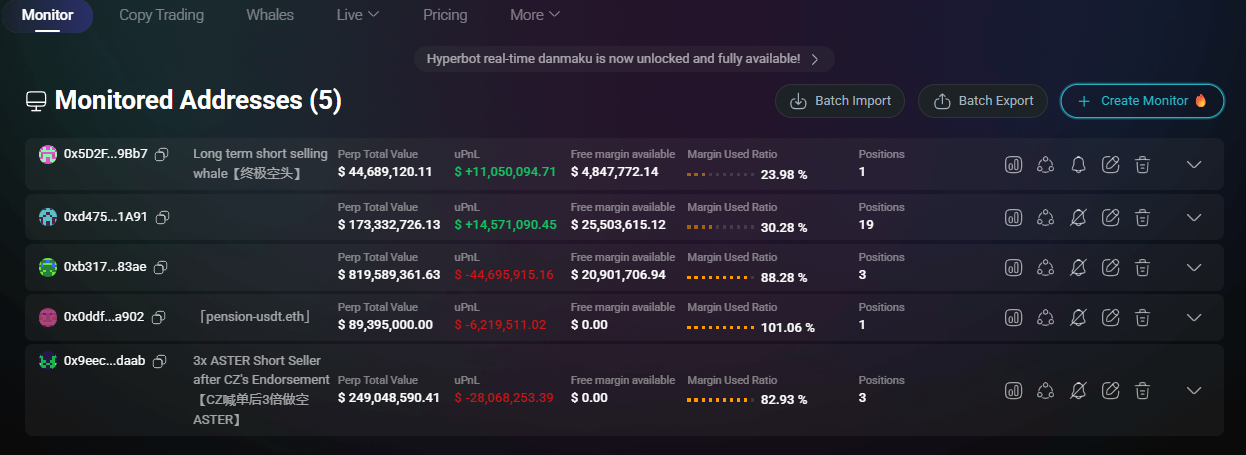
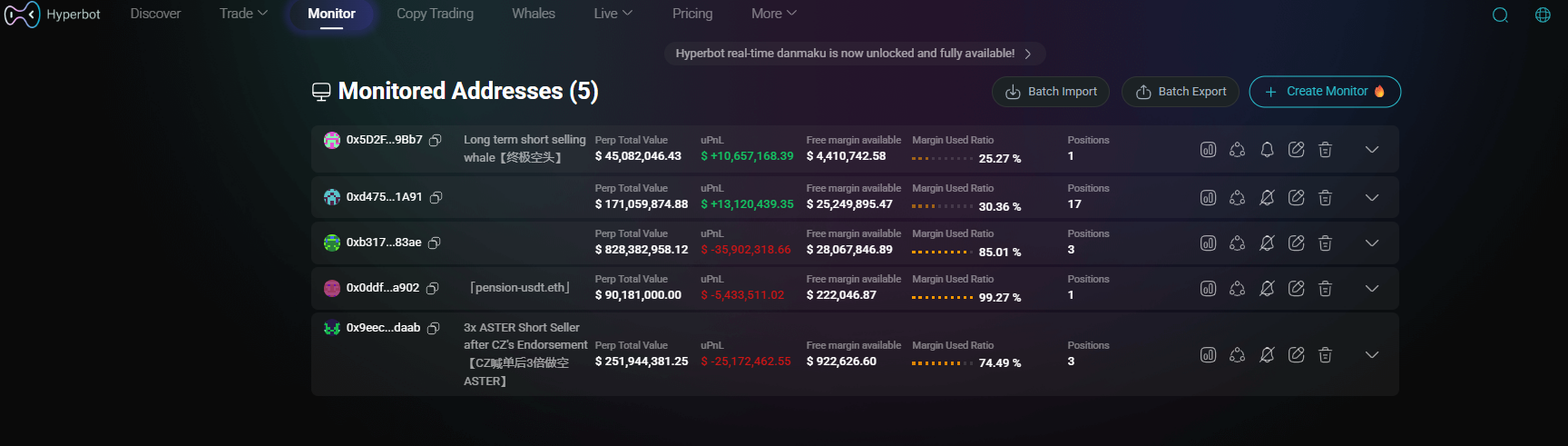
* ✅ Custom Watchlist: Track any wallet or contract address to monitor specific "Smart Money" moves.
* ✅ Real-Time Whale Alerts: Receive instant Telegram notifications for large-scale transfers and contract executions.
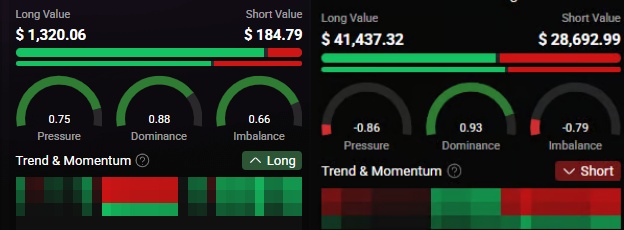
* ✅ Aggressive-Flow Analysis: Access our proprietary heatmap to visualize real-time order flow momentum and identify institutional buy/sell pressure.
* ✅ Trader Profiling: Deep-dive into a trader’s "DNA," including leverage preferences, win rates, and trading frequency.
* ✅ Market Pulse: Stay ahead with institutional-grade news and macro events, updated every 5 minutes.
# Discover Smart Addresses
> ### Stop Following Blindly: How to Pinpoint "Smart Money" Using Hyperbot’s Trending Leaderboards and Tagging System
In the vast ocean of on-chain data, retail investors often suffer from "information overload." To solve this pain point, Hyperbot has developed a complete toolchain—transitioning from "broad filtering" to "deep profiling."
While the "Trending Addresses" page acts as your radar, the "Intelligent Tagging System" serves as your microscope. This guide will teach you how to combine these two core features to build a high-probability screening strategy.
***
#### Step 1: Broad Filtering — Spotting Market Focus via "Trending Addresses"
The "Discover" section is more than just a leaderboard; it is a "High-Value Watchlist" pre-cleaned by Hyperbot’s AI algorithms.
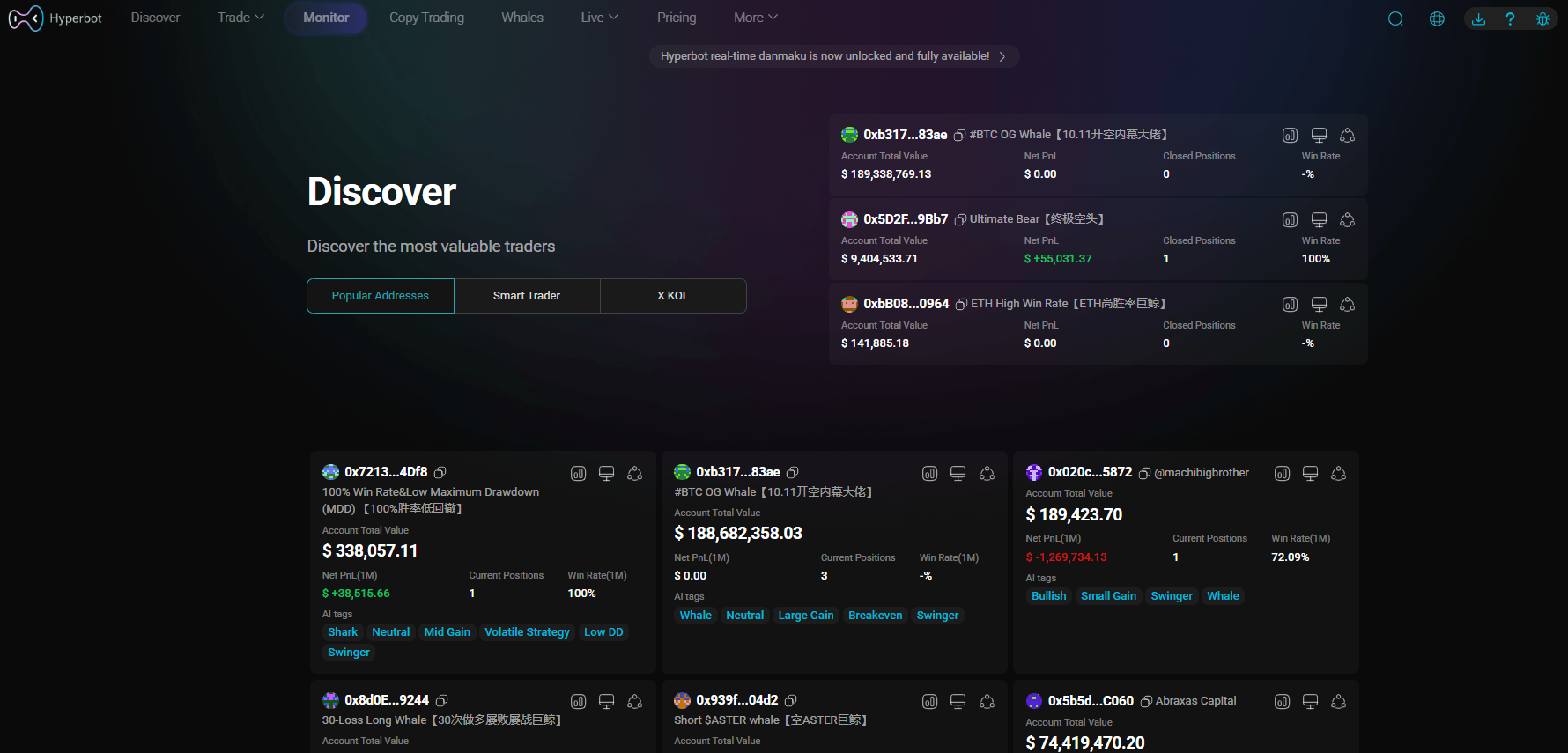
What does this section show? Hyperbot aggregates three categories of the most valuable on-chain data:
* 🔥 Ppopular Addresses: Addresses that have recently seen a surge in searches, follows, and trading activity. This usually represents the current flow of "Smart Money."
* 📈 Smart Traders (Win Rate/PnL): Battle-hardened traders who make the list based on hard data (e.g., 70%+ win rates).
* 👀 X KOL: While we don't recommend blind following, tracking their capital flows helps gauge market sentiment (FOMO vs. Panic).
**How to use this effectively?**
* Search for "Consensus": If an address appears on both the "Trending" and "Top Performers" lists, it possesses both profitability and market validation.
* Observe "Survival Rate": Prioritize addresses tagged with "Stable Profits" to filter out "one-hit wonders" who got lucky on a single trade.
***
#### Step 2: Deep Profiling — Decoding the Logic Behind the Tagging System
Finding an address is only the first step; understanding its strategy style is the key. Hyperbot analyzes historical trading behavior to assign precise "Identity Tags" to every address.
Core Tag Interpretations:
* **💰 Large Profit / Consistent Profit:** Indicates a large capital base and a steady upward net value curve. A symbol of raw strength.
* **⚡️ Scalper / Day Trader:** Represents high-frequency trading styles with short holding times, excelling at capturing intraday volatility.
* **✅ Stable Profits:** Indicates excellent drawdown control. These traders preserve capital even in extreme market conditions—non-gamblers.
* **🏆 High Win Rate:** Historical win rate is significantly higher than the market average.
***
#### Step 3: Core Strategy — The Two "Golden Profit Formulas"
Single tags can be misleading; combined tags are where the magic happens. Based on your risk appetite, we have summarized two "Golden Formulas":
**1. The Steady Wealth Formula (For large capital/Risk-averse users)**
Filter Criteria: `Large/Consistent Profit` + `High Win Rate`
* **The Logic:** "Large Profit" proves the address has the capital and strategy to survive bear/bull cycles, rather than just getting lucky. "High Win Rate" implies a disciplined entry logic and robust risk management.
* **Conclusion:** These addresses are the "anchors" of a copy-trading portfolio. Following them usually means "slow is smooth, and smooth is fast."
**2. The Explosive Potential Formula (For tech-savvy/Efficiency-driven users)**
Filter Criteria: `Stable Profits` + `Scalper`
* **The Logic:** Short-term trading is extremely difficult due to fees and slippage. If a day trader maintains a "Stable Profits" tag, they possess elite technical analysis skills and market control.
* **Conclusion:** These addresses have high short-term explosive power. They are the top choice for technical followers. However, because they move fast, it is recommended to use Hyperbot’s Auto-Copy feature to keep up.
***
#### Step 4: From Discovery to Execution
Once you have locked in your targets using the formulas above, perform these final checks:
1. **Verification:** Click the address details and confirm that the Realized PnL is positive and the growth curve is smooth.
2. **Resonance:** Observe the Open Positions. If multiple addresses matching the "Steady Wealth Formula" are longing the same asset, that is a high-conviction entry signal.
3. **Action:** Add the selected elite addresses to your Signal Monitor or directly enable Copy Trading.
***
At Hyperbot, we don’t manufacture luck; we deliver data. By combining "Leaderboard Auditions" with "Tag Formula Selection," you stop being a blind follower and become a "Hunter" alongside the world’s top traders.
Go to the [Hyperbot Discover Section](https://hyperbot.network/discover) now and verify your profit formula
# Most Popular Influencers/KOL/Hot Samrt Addresses
In the Discover page, you can:
✅ **Track Newly Verified Addresses**
* Popular Addresses: The most talked-about addresses online, featuring legendary trades and "insider" activity.
* Smart Traders: Smart wallets with the highest profits and win rates.
* X KOL: Verified Twitter (X) influencers and celebrity wallets.
# Popular Addresses
Elite Address Dashboard: Capturing the Most Trending On-Chain Dynamics
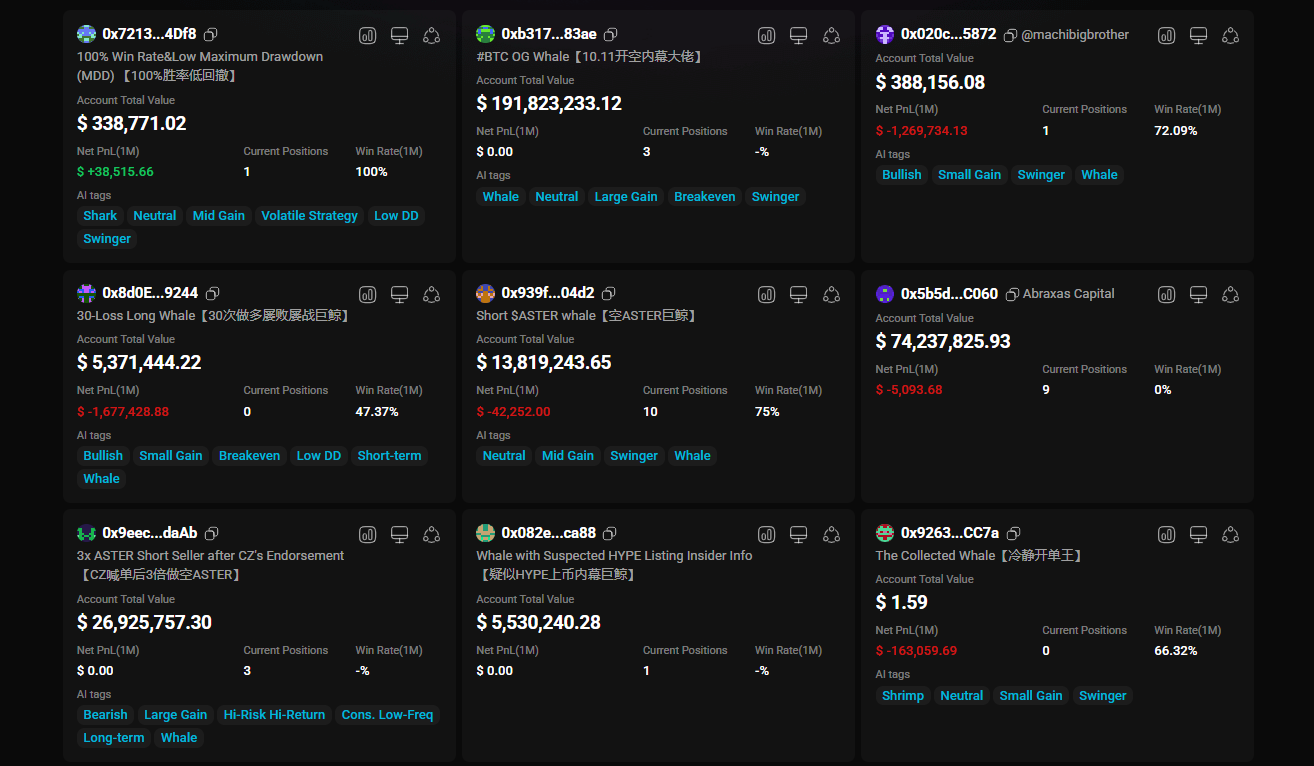
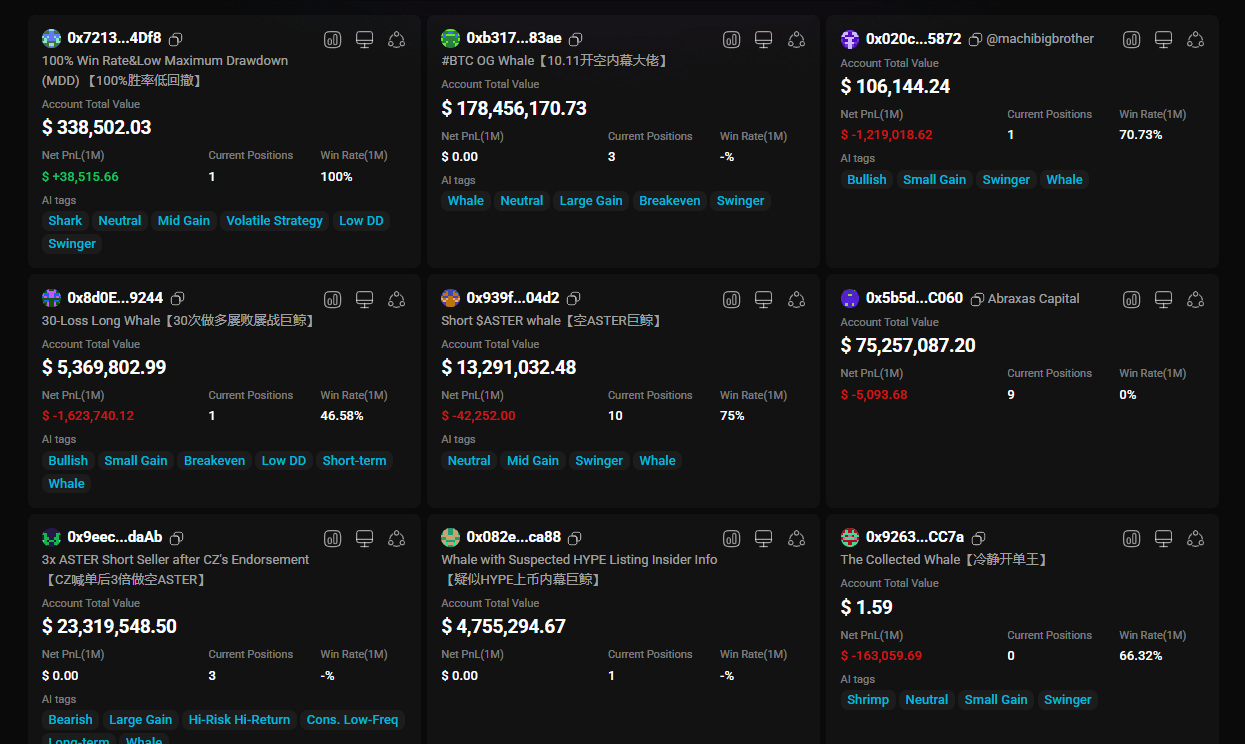
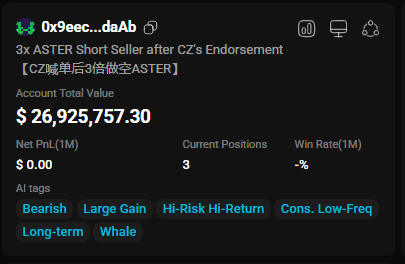
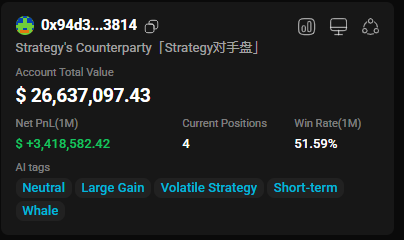
Aggregating the world’s most watched **"Smart Money,"** Hyperbot provides a real-time list of trending profiles, including Bitcoin Whales, Top Short-Sellers, and High Win-Rate Wallets. At a glance, you can access their historical performance, real-time holdings, and professional behavioral tags. Join our on-chain tracking network to decode the strategic details behind whale movements and master the wealth paths pursued by the elite.
# All Addresses
# X KOL
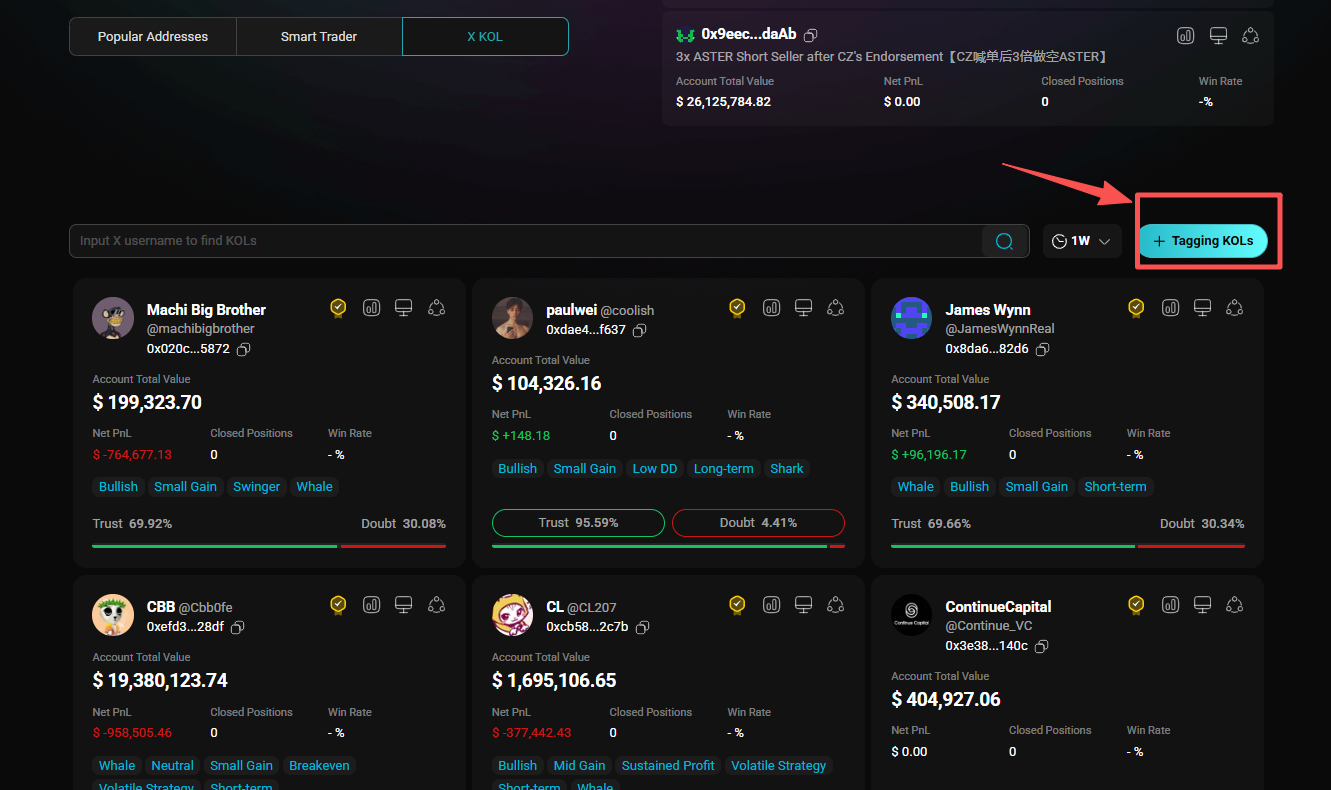
X Kols discovered by Hyperbot Team or Community,let's build this page together!
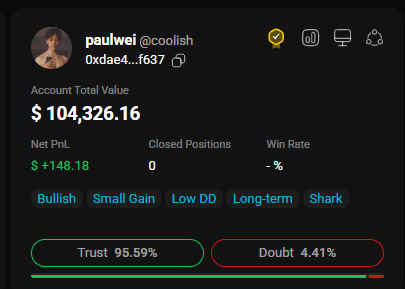
On the X KOL Discovery page, celebrity holdings and strategic tags are laid bare. You can cast your "Trust" or "Doubt" votes to help the community distinguish fact from fiction. Discovered a new KOL wallet? Use the "Tag" feature to submit it and join us in perfecting the ultimate on-chain intelligence network.
✅ **Participate in Community Ratings**
* Mark addresses as "Trusted" or "Doubt" to help the community filter out the noise.
**✅ Contribute New Addresses**
* Use the "Tag KOL" feature to add unlisted addresses.
## How to Tag a New Address?
{% stepper %}
{% step %}
**Step 1**
Click on "Tagging KOLs"
{% endstep %}
{% step %}
**Step 2**
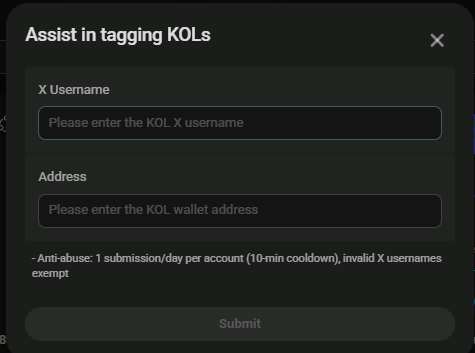
Enter the KOL's X (Twitter) Username + their Wallet Address
{% endstep %}
{% step %}
**Step 3**
Click "Submit"
{% hint style="success" %}
**Earn Points:** Receive point rewards for successful submissions. (Please ensure all submitted information is accurate).
{% endhint %}
{% endstep %}
{% endstepper %}
# Whales: Market Long/Short Ratio
Strategic Advantage: Why Track Whales?
In the crypto market, the actions of "Whales" (large-scale institutional or private traders) often serve as precursors to price movements. By tracking whale contract positions and Long/Short ratios in real-time, you can:
* Capture Trends Early: Massive whale orders often lead short-term market movements.
* Mitigate Liquidation Risks: Avoid "Long Squeezes" or "Short Squeezes" by monitoring abnormal funding rates.
* Follow High Win-Rate Strategies: Filter for "Smart Money" with a history of stable profitability.
***
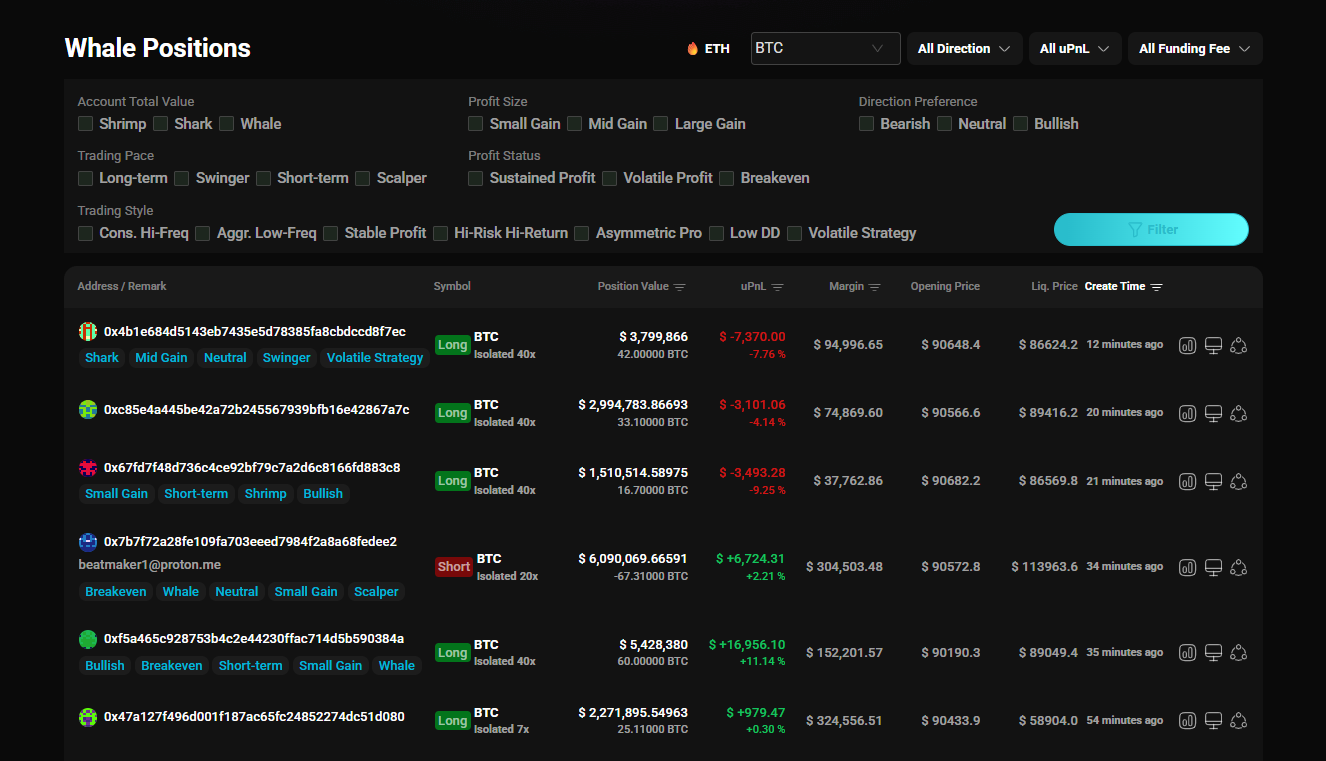
#### 🚨 Whale Tracker | Real-Time Market Sentiment Indicator
Key Capabilities:
✅ Cross-Exchange Long/Short Ratio Monitoring: Filter by asset, direction, Unrealized PnL, and funding fees.
✅ Whale Contract Activity Tracking: Real-time alerts for large-scale position openings and closings. ✅ Smart Capital Flow Analysis: Identify institutional accumulation and distribution signals.
***
#### User Guide
**1. Access the Platform**
Open the Hyperbot Whale Tracking page:
**2. Use Multi-Dimensional Filters to Pinpoint Whale Activity**
Refine your search using the following parameters:
* Asset Filter: Target specific coins (BTC, ETH, etc.).
* Directional Filter: Isolate Long vs. Short positions.
* Unrealized PnL Sorting: Identify "trapped" positions or highly profitable whales.
* Funding Fee Monitoring: Spot anomalies in high-interest rate environments.
***
#### Data Dimension Specifications
Whale Identification Standards:
* Account Value: > 1,000,000 USDT
* Transaction Volume: Top 5% of platform-wide users.
* Recent Activity: Active within the last 24 hours.
Long/Short Sentiment Signals:
* Bullish Signal: Multiple whales synchronously increasing Long Contracts.
* Correction Warning: Whales opening Short Positions collectively while funding rates skyrocket.
***
#### Pro Trading Tips
* Filter for Consistent Winners: Combine \[Win Rate] + \[Realized PnL] to find whales with stable historical returns.
* Cross-Exchange Comparison: Compare whale holdings across different exchanges to spot arbitrage or hedge opportunities.
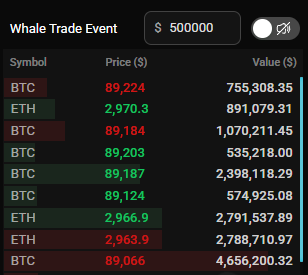
* Set Custom Alerts: Enable \[Large Order Alerts] (> $500,000) for real-time push notifications to act or hedge instantly.
Performance: < 3-minute latency | Coverage: Major exchanges including Binance, OKX, and Bybit.
# The Tagging System
Precision Strategies and Methodologies for Pinpointing On-Chain Whales
#### 1. Introduction
The transparency of blockchain technology brings a sea of data, but it also presents a core challenge: How can we rapidly identify truly valuable traders among hundreds of millions of addresses?
Traditional analysis tools often stop at displaying basic transaction flows and asset balances. They lack deep extraction and intelligent categorization of address behavioral characteristics, making the search for "Whales" (addresses with significant capital and successful trading experience) feel like searching for a needle in a haystack.
The Hyperbot Trader Tagging System is designed to solve this critical pain point. Based on on-chain historical behavior from the past 90 days, the system utilizes a rigorous, multi-dimensional quantitative algorithmic model to generate a series of highly condensed behavioral tags for every active address. Tags such as "Large Fund," "Stable Profit," and "Long-term" transform complex on-chain actions into intuitive identifiers. This provides users with "Data-Driven Eyes" to quickly insight into a trader's strategy, style, and financial strength, ensuring that true whales have nowhere to hide.
***
#### 2. System Design & Architecture
**2.1 Design Philosophy: Objective, Dynamic, and Pragmatic**
The system follows three core principles to ensure that the output tags possess high credibility and practical value:
* Data-Driven: All tags are strictly generated based on verifiable on-chain transaction data, eliminating subjective bias and ensuring objective conclusions.
* Dynamic Evolution: All computational data is drawn from a 90-day rolling window, ensuring that tags reflect the trader's latest status rather than stale history.
* User-Controlled: The system interface allows users to freely combine tags for multi-dimensional filtering, granting significant autonomy for exploration.
**2.2 Core Dimensions and Tag Definitions**
The system profiles addresses across five core dimensions to create a comprehensive evaluation framework. The table below details the definitions and typical tags for each dimension.
***Table: Detailed Explanation of the Five Core Dimensions***
| **Dimension** | **Core Insight** | **Representative Tags (EN/CN)** | **Definition Logic** |
| -------------------- | -------------------------------------------------------------------------- | ------------------------------- | --------------------------------------------------------------------------------------- |
| Capital Scale | Evaluates capital strength and regular transaction volume | Large Fund / 大资金 | Average single-trade profit > $50,000 |
| Directional Bias | Reveals the trader's natural inclination towards market direction | Bullish / 偏多头 | Long position ratio > 70% in the past 90 days |
| Trading Pace | Characterizes holding periods and transaction frequency | Long-term / 长线 | Average holding time > 7 days |
| Trading Style | Evaluates risk-reward characteristics; key to defining strategy robustness | Stable Profit / 稳定盈利 | Must meet strict criteria: Win Rate ≥ 60%, Max Drawdown ≤ 25%, Sharpe Ratio ≥ 1.0, etc. |
| Profitability Status | Reflects overall PnL performance over the recent period | Sustained Profit / 持续盈利 | Consistent positive net growth in PnL over the rolling window |
> Note: The system enforces a Minimum Activity Threshold. Tags are only generated for addresses with "Total Transactions ≥ 3" and "Average Position Size ≥ $1,000" within the past 90 days, effectively filtering out inactive or experimental accounts.
***
#### 3. Typical Application Scenarios
The tagging system transforms data into actionable insights, providing significant value across various scenarios.
**3.1 Whale Discovery and Behavior Tracking**
By combining tags such as "Large Fund" + "Stable Profit," users can instantly locate high-net-worth, disciplined whales within a sea of addresses. Users can then track their specific movements, such as large withdrawals from exchanges to cold wallets, which may signal major market trends.
**3.2 Strategy Analysis and Mimicry**
Users with different risk appetites can find suitable "mentors" based on tags:
* Conservative Users: Focus on "Low Frequency / Robust" traders to learn long-term positioning and risk control.
* Aggressive Users: Study "High Risk / High Return" or "Asymmetric Experts" (low win rate but extremely high risk-reward ratio) to understand the secrets behind capturing alpha.
**3.3 Risk Control and Anti-Fraud**
The tagging system helps identify potential risks:
* If an address is marked as "Large Fund" but displays a "High Frequency / Aggressive" style with "Volatile Profit," its massive volume itself could be a source of market volatility; following such traders requires extreme caution.
* When evaluating new project teams, if the core team addresses show historical behaviors like "Small Fund," "Short-term," and "Break-even," investors should question their long-term commitment and the project's credibility.
# Address Detail Page
At Hyperbot, an address is no longer just a cold hash string—it is a living, breathing strategic entity. We empower you to perform deep-dive analysis on any target address through five core dimensions:
* 📈 Account Overview: Gain real-time mastery over total asset scale, equity curves, and long/short win-rate statistics. Quickly quantify a trader’s capital volume and overall market strength.
* 🏷️ Whale Behavior Tags: AI-driven strategic profiling. Whether it’s a "low-frequency, stable" long-term holder or an "aggressive, explosive" short-term hunter, their trading style is revealed at a glance.
* 📊 Real-Time Position Transparency: Pierce through current position details, including asset allocation, leverage multiples, unrealized PnL, and entry costs, allowing you to anticipate their next portfolio rebalancing move.
* 📜 Order History Archive: Access a complete historical record of every execution. By studying their entry and exit logic during extreme market volatility, you can absorb the practical wisdom of elite traders.
* 💰 Deposit & Withdrawal Logs: Precision tracking of all fund movements. Capture sensitive signals as whales move assets in or out of exchanges, enabling you to predict potential market shifts before they happen.
# Track\&Monitor
Track & Monitoring — Your 24/7 Market Radar
In the fast-paced world of crypto, information latency is the enemy. Hyperbot’s Track & Monitoring module bridges the gap between raw data and execution, combining institutional-grade order flow analysis with instant automated alerting.
***
#### 1. Real-Time Order Flow & Aggressive-Flow Engine
The pulse of the market, delivered in high-fidelity. Stop relying on lagging indicators and start watching the "Raw Momentum."
* Aggressive-Flow Heatmap: A proprietary visualization of Taker-driven momentum. Identify institutional accumulation and distribution phases as they happen.
* Momentum Baseline: Monitor the cross-relationship between capital flow and price action to distinguish between genuine breakouts and "Bull/Bear Traps."
* Auditory Feedback: Turn data into sound. Customize audio alerts for high-intensity aggressive flows so you can "sense" the market even when away from your screen.
***
#### 2. Telegram Tracker Bot — The Sentinel for Your Watchlist
Your dedicated on-chain scout. This bot monitors the "Who" behind the moves.
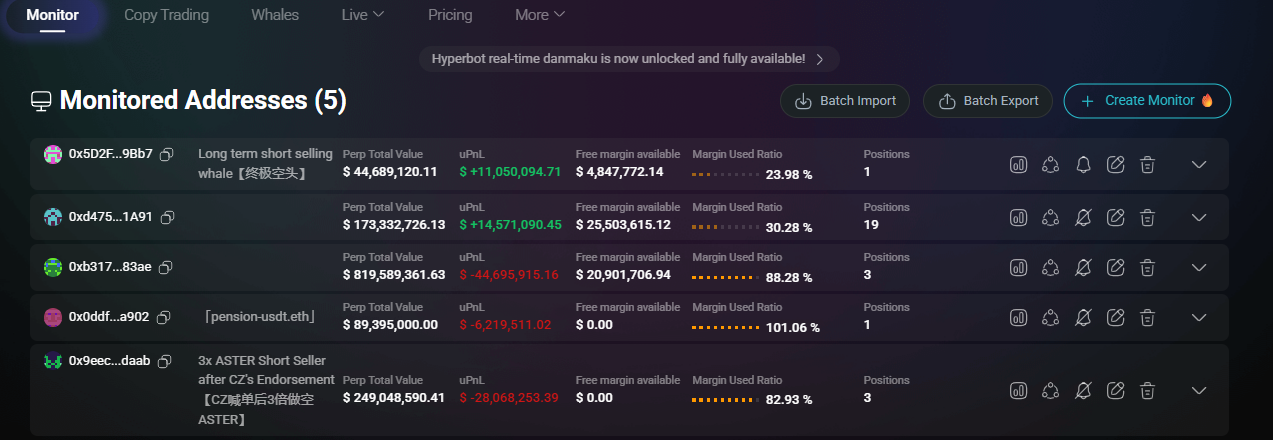
* Whale Watchlist: Add any wallet or contract address to receive instant push notifications.
* Position Dynamics: Get real-time alerts when your tracked whales open, close, or rebalance positions.
* Smart Filtering: Customize alerts to trigger only for large-scale transfers or specific contract interactions, ensuring you only receive high-signal information.
* Link: [Connect to Tracker Bot](https://t.me/hyperbottracker_bot) ↗️
***
#### 3. Telegram Trading & News Bot — Your Intelligence Hub
The bridge between global macro news and your personal trading operations.
* Group Mode (Market Pulse): Add this bot to your community or trading groups to receive real-time updates on breaking Alpha news, industry events, and major trend shifts identified by our AI.
* Private Mode (Personal Command Center): \* Portfolio Management: Securely manage your account info, subscription status, and individual trading preferences via direct message.
* Personalized Feeds: Receive curated intelligence and trend reversal warnings tailored to your trading profile.
* Link: [Connect to Trading Bot](https://t.me/Hyperbotai_bot) ↗️
***
#### 💡 The Ultimate Strategy: The "Radar-to-Execution" Workflow
Hyperbot enables a seamless loop that transforms observation into profit:
1. Spot the Momentum: Use the Aggressive-Flow Heatmap to identify which assets are under intense institutional buying pressure.
2. Verify the Actor: Check the Tracker Bot to see if top-tier whales are the ones driving the momentum.
3. Validate via News: Confirm the move with real-time news delivered by the Trading & News Bot to ensure the fundamentals align with the flow.
4. Execute & Monitor: Set a monitor on the key addresses involved and receive 24/7 updates on their exit strategy.
# Real-Time Order Flow & Aggressive-Flow
The Trend Analysis Engine
### Module Overview
In the Decentralized Perpetual Exchange (Perp DEX) market, traditional candlestick indicators often suffer from lag. The Hyperbot Real-Time Order Flow Engine is engineered to pierce through market noise. By monitoring the "Raw Momentum" of every transaction, it provides traders with a half-step lead in market insight.
The engine consists of two core components: Real-Time Order Flow Monitoring and the Aggressive-Flow Trend & Momentum Heatmap.
Entry:
{% stepper %}
{% step %}
#### 1. Real-Time Order Flow Monitoring System
By filtering and reconstructing raw transaction data from protocols like Hyperliquid and Aster on a tick-by-tick basis, the system reveals the true intent behind capital movements.
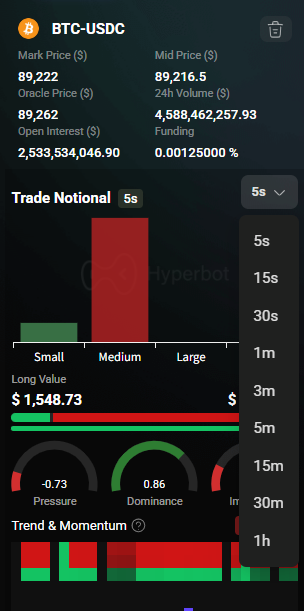
* **Taker Identification:** Precisely distinguishes between aggressive buy and sell orders. It filters out passive limit order noise to reconstruct the authentic battle between buyers and sellers.
* **Volume Stratification:** Categorizes orders into Large, Medium, and Small in real-time. This allows users to instantly perceive the behavioral differences between "Institutional/Whale" and "Retail" capital.
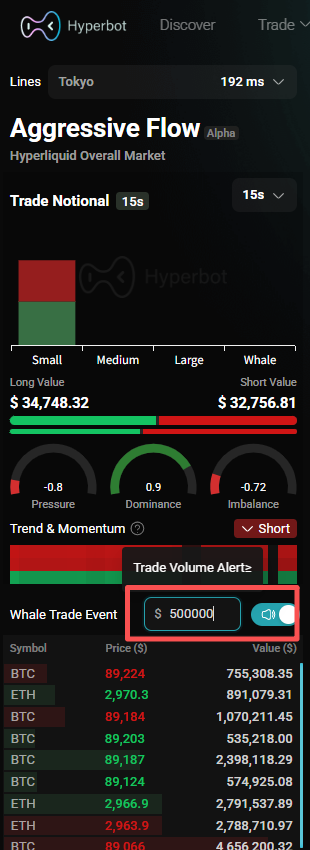
* **Auditory Feedback:** Features a sound alert system based on aggressive trading intensity. By converting high-frequency data into intuitive audio signals, traders can "sense the momentum" without staring at the screen.
* *(Usage: Click the 📢 icon in the bottom right to enable. You can set custom thresholds in the left input box for automatic audio alerts on orders exceeding a specific size.)*
* Multi-Market Aggregated View: Aggregates capital flows across multiple exchanges and trading pairs to provide a global perspective, eliminating localized bias from a single market.
* Market Structure Metrics: Visualizes market sentiment through quantitative values, including Long/Short ratios, market pressure coefficients, and support/resistance structural metrics.
***
{% endstep %}
{% step %}
#### 2. Aggressive-Flow Trend & Momentum Heatmap
An advanced trend-prediction model driven by tick-by-tick executions. It captures the deep trajectory of "Smart Money" through a fundamental reconstruction of price-volume relationships.
A. Core Quantitative Indicators
* Trend Indicators: Includes Trend Pressure MA, Capital Bias, and Market Potential Intent. These help determine whether the current move is a "Trend Extension" or a "Bull/Bear Trap."
* Event/Breakout Indicators: Includes Trend Acceleration, Counter-Momentum Pressure, and Order Flow Aggression. These capture trend acceleration points or potential reversal signals.
* *(Note: The interface displays the current macro market trend as "Short" or "Long".)*
B. Proprietary Algorithmic Advantages Unlike lagging indicators such as MACD or RSI, Aggressive-Flow excels at "Asymmetric Prediction" by analyzing the cross-relationship between capital flows and the baseline:
* Identification of Accumulation & Distribution: Filters out "wash trading" (fake volume) and retains only the effective volume that drives price discovery, accurately identifying market tops (distribution) and bottoms (accumulation).
* False Breakout Detection: When a price breakout occurs but short-term capital fails to cross the baseline and weekly flow remains negative, the system issues a "False Breakout" warning.
***
{% endstep %}
{% step %}
#### 3. Value Proposition: Empowering Trading Execution
The engine is not just a visualization tool; it is the core of decision support:
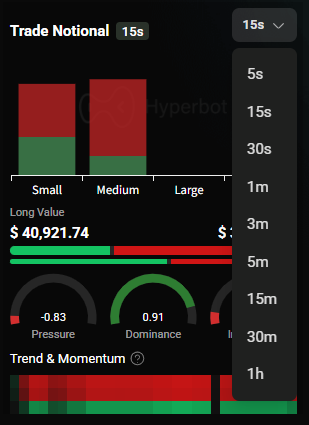
* Higher Win Rates: By comparing multiple timeframes (5s / 15m / 1h), the system issues high-conviction signals when multi-level trends reach "Resonance."
* Risk Mitigation: When heatmap bars shorten consecutively or capital flow crosses below the baseline, the system provides clear "reduce position" or "stop-loss" signals to avoid mid-level corrections.
* Strategy Optimization: Provides the underlying data feed for automated copy-trading and AI strategies, ensuring algorithms execute based on "Real Execution Momentum" rather than "Fake Order Book Data."
{% endstep %}
{% endstepper %}
# TG Tracker Bot-Whale Alerts
Omni-Channel Intelligent Monitoring & Alerting System
#### **1. Module Overview**
The Hyperbot Monitoring System serves as the neural center connecting on-chain deep data with real-time execution. It is engineered to eliminate information asymmetry by providing a closed-loop intelligence flow: from Whale Discovery and Behavioral Profiling to Instantaneous Alerting. This system transforms raw blockchain noise into high-conviction trading signals.
#### **2. Core Technical Capabilities**
* **Dynamic Watchlist Management:** Seamlessly track any wallet or smart contract, including exchange hot wallets, institutional whales, project treasuries, and high-net-worth individual addresses.
* **Multi-Trigger Alert Logic:**
* Early Detection (Contract Interaction): Receive instant "early-stage" alerts when a monitored address interacts with a new protocol or token for the first time.
* Position Dynamics: Real-time analysis of entry, exit, and rebalancing (adding/reducing positions), complemented by shifts in leverage multiples and average entry costs.
* On-chain Capital Flows: Monitor large-scale cross-chain transfers and exchange inflows/outflows to capture major liquidity shifts.
* Institutional-Grade Latency: Hyperliquid whale activities are synchronized with a 60-second latency, while global macro news and industry events are aggregated every 5 minutes, keeping users at the forefront of the information curve.
#### **3.** 🤖 Hyperbot Tracker Bot: Quick Start Guide
Build Your On-Chain Radar in 3 Simple Steps
The Hyperbot Tracker Bot is your dedicated on-chain sentinel. It focuses solely on capturing whale dynamics and capital anomalies, delivering millisecond-latency alerts directly to you. No noise, just high-value signals.
**Step 1: Activate Your Scout (Connect)**
*Initialize the connection between your Telegram and the Hyperbot engine.*
1. Click here to open the bot: [@hyperbottracker\_bot](/get-started/discover-and-monitor/track-and-monitor/tg-tracker-bot-whale-alerts)
2. Tap `Start` or type `/start` in the chat.
**Step 2: Set Your Watchlist (Configure)**
*Forget complex command lines. Manage everything visually via the Web Dashboard.*
1. Navigate to the Hyperbot Web App (via Discover, Whales, or Leaderboard pages).
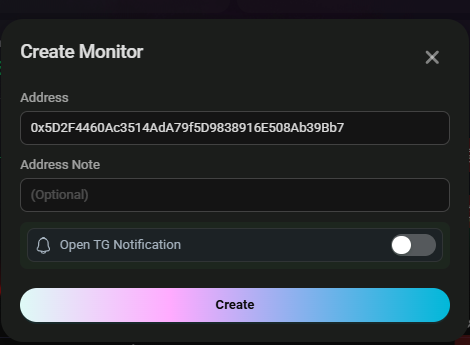
2. Click the "Bell Icon" (🔔) on the top right of *any* address details page.
3. ⚠️ Crucial Step: In the popup, check the box ✅ "Enable Telegram Notification".
4. *(Optional)* Add a Note: Give the whale a nickname (e.g., "$20M Smart Money" or "HL Top Short"). This helps you instantly recognize who is moving when the alert pops up.
**Step 3: React to Signals (Profit)**
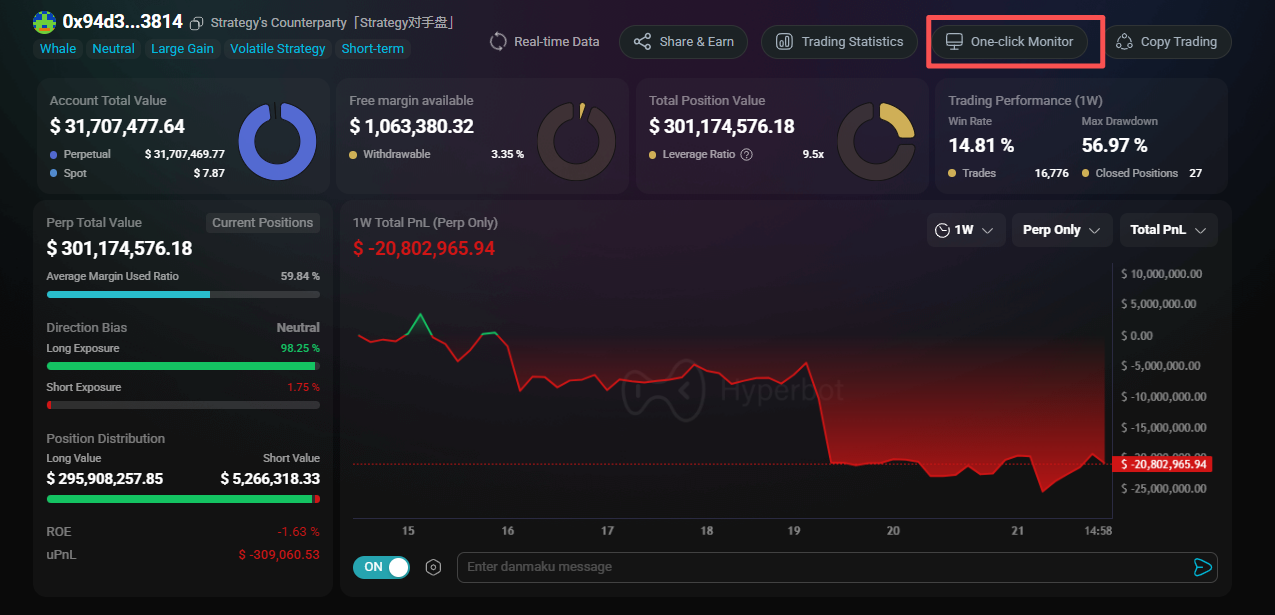
Once set up, you will receive instant push notifications for the following key actions:
* 🚨 Entry & Exit: Catch the exact moment a whale opens or closes a position.
* 📉 Conviction Moves: See when they Add (double down) or Reduce leverage, revealing their market confidence.
* 💰 Capital Flow: Get warned about large Inflows/Outflows (Deposit/Withdrawal) that often precede volatility.
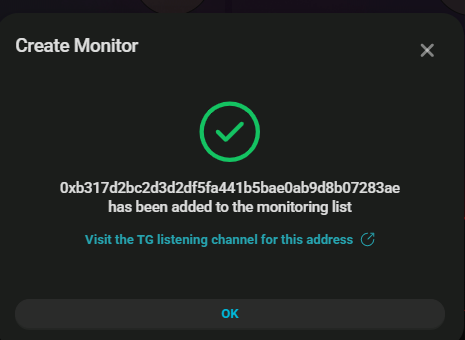
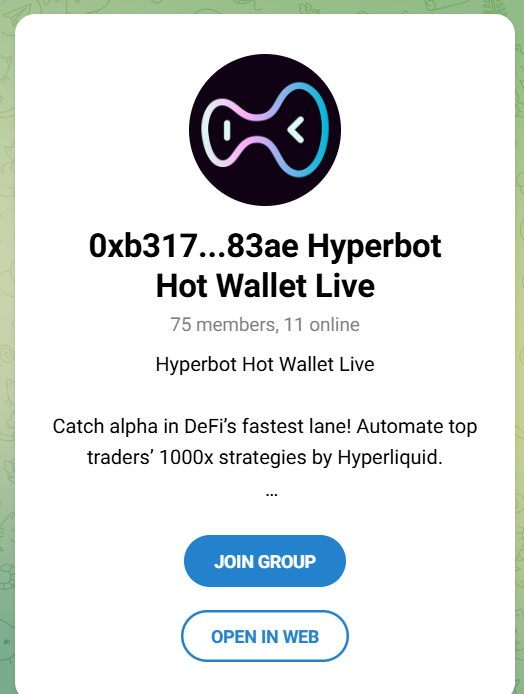
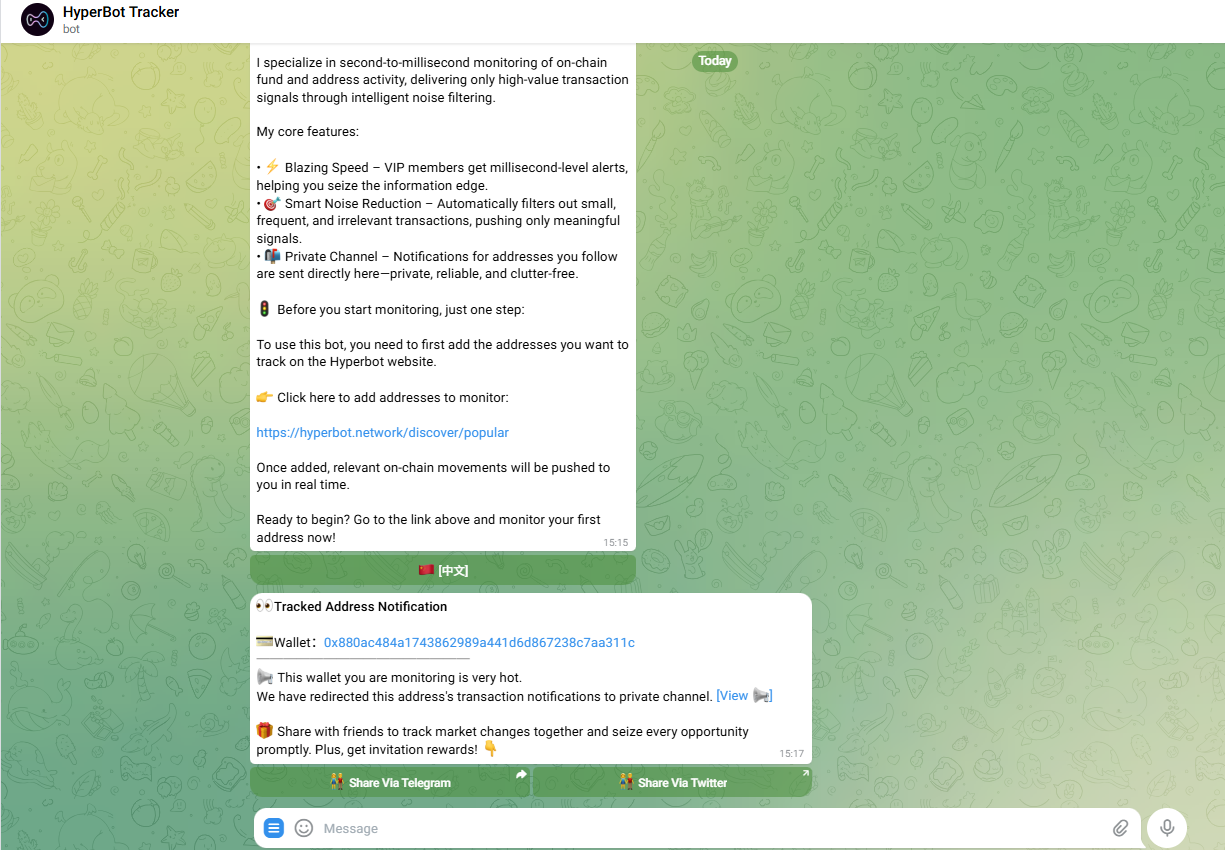
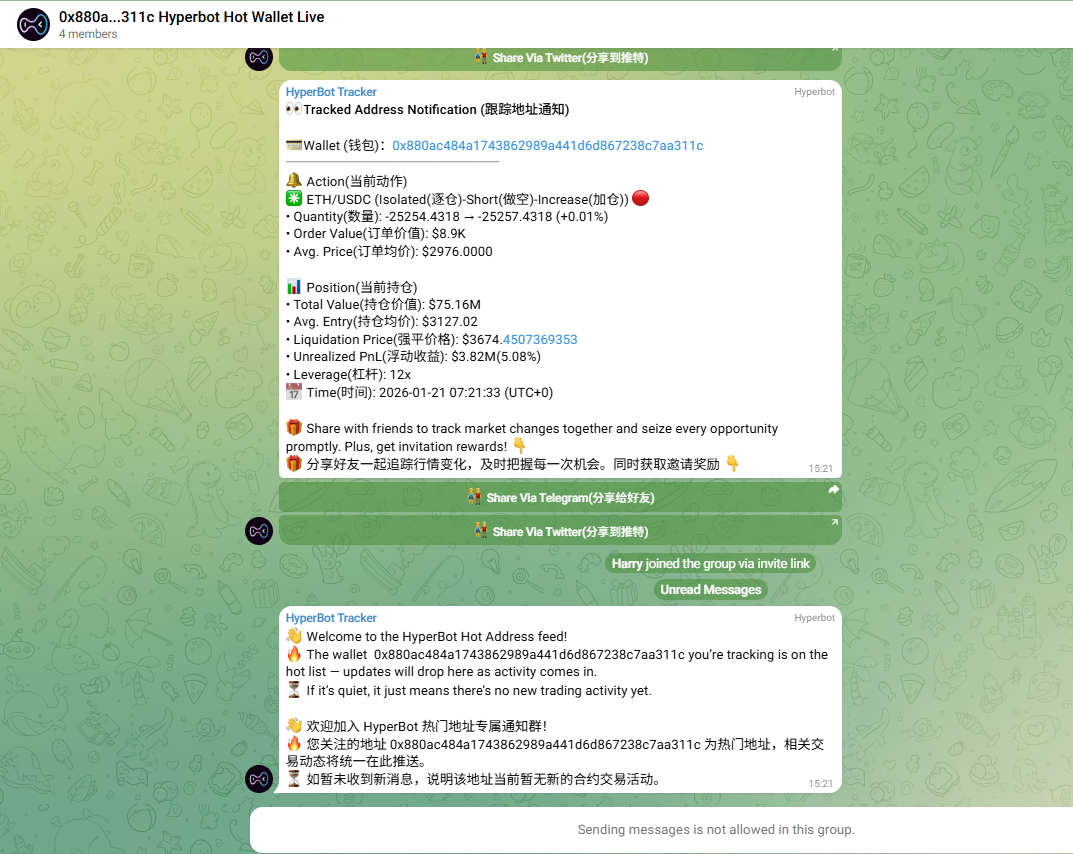
🔥 **Note on Trending Addresses:** When tracking widely followed "Hot Whales," the system will automatically direct you to a Dedicated Broadcast Channel. This ensures you receive alerts with zero latency alongside the community, rather than via private bot messages.
#### 4. Unsure which addresses to watch?
Check out this tutorial to enable Whale Alerts for all popular addresses:
**📢 How to Set Up Whale Alerts**
1. Add @Hyperbotai\_bot to your Group or Channel.
2. Set as Admin (Required for Channels).
3. Open Private Chat with the bot to configure settings.
4. Select Feeds: Choose "Whales Alerts".
✅ **Done! Enjoy automatic updates.**
# TG Trading Bot-Market Trends Alert
📢 Hyperbot AI Bot: Group & Channel Integration Guide
{% hint style="info" %}
**Turn Your Community into an Intelligence Hub**
{% endhint %}
Want to keep your trading team or community updated with the latest Alpha? You can deploy the Hyperbot AI Bot into any Telegram Group or Channel to automatically broadcast real-time market trends and whale movements.
***
**Step 1: Create Your Command Center**
* For Teams: Create a Telegram Group (perfect for internal discussions).
* For Communities: Create a Telegram Channel (perfect for broadcasting news to followers).
* *Already have one? Skip to Step 2.*
**Step 2: Deploy the Bot**
Add the bot to your Group or Channel just like you would add a normal member.
* Bot Username: [@Hyperbotai\_bot](https://t.me/Hyperbotai_bot)
* ⚠️ Important for Channels: You must promote the bot to "Admin" (Administrator) so it has permission to post messages.
**Step 3: Configure Intelligence Feeds**
Once the bot is added, you need to tell it what to broadcast.
1. Enter the Bot: Click on the bot's name or open the private chat with [@Hyperbotai\_bot](https://t.me/Hyperbotai_bot).
2. Set Language: Click on "Language" (or type `/language`) to select your preferred display language (e.g., English / Chinese).
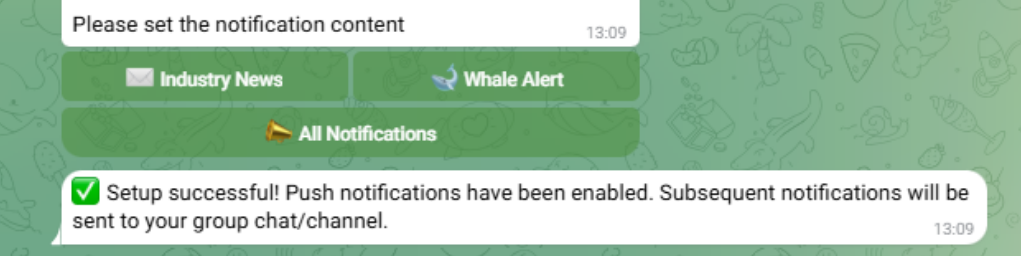
3. Select Topics: Navigate to the "Notification Settings" or "Subscriptions" menu and choose your feed type:
* 📰 Industry Trends: Major news, macro events, and project updates.
* 🐋 Whale Movements: Large-scale on-chain activities.
* 🔔 All Notifications: Get the full stream of market intelligence.
**Step 4: Live Sync**
Success! Your Group or Channel will now automatically receive real-time alerts based on your selection. No manual forwarding required—just pure, automated Alpha.
***
#### 💡 Pro Tips:
* Community Value: Adding this bot to your community keeps your chat active and engaged with fresh market data, reducing "dead air" time.
* Language Sync: Ensure the language you select in Step 3 matches the language of your community for the best user experience.
# Grid Trading
The Automated Arbitrage Engine for Volatile Markets
****Grid Trading is an automated arbitrage strategy based on price fluctuations within a range. By pre-setting buy and sell grids, it continuously buys low and sells high in volatile markets, accumulating steady profits without needing to predict market direction.
#### Hyperbot Exclusive Advantages:
✅ **Multi-Platform Contract Support**: Seamless integration with **Hyperliquid** and **Aster** contract trading.
✅ **AI Dynamic Parameter Adjustment**: Automatically optimizes grid density based on market volatility.
✅ **Cross-Exchange Hedging**: Monitors CEX/DEX price gaps to capture arbitrage opportunities.
***
#### Core Features:
**Flexible Trading Modes**
* **Manual Trading**: Full control over each trade, ideal for precise execution of personal strategies.
* **Strategy Trading**: One-click activation of smart algorithms to automatically capture market opportunities.
**Switching Path**:Trading Panel → Right Navigation Bar → Click "Manual Trading/Strategy Trading" Toggle → Select Strategy & Configure Parameters
#### **Smart Parameter Configuration Center**
* **Price Range**: Set upper and lower grid limits (e.g., BTC: 60,000−70,000).
* **Grid Density**: Layer by fixed price gap (e.g., $500/grid) or percentage (e.g., 1%).
* **Per-Grid Position**: Supports dynamic adjustment (e.g., 5% of total capital/grid) or fixed quantity.
#### **Real-Time Market-Driven Execution**
Monitors market prices and automatically triggers trades:
* **Falls to grid line → Buy**
* **Rises to grid line → Sell**
#### **Historical Order Tracking**
Review each trade’s trigger price, time, and profit/loss.
#### **Circuit Breaker Protection**
When a one-sided trend breaks the grid range:
* Automatically pauses the strategy.
* Triggers global stop-loss (e.g., total loss ≥10%).
***
#### **How to Create a Grid Strategy?**
**Step 1: Access the Page**Visit Hyperbot Official Website → Click **"Trading"** in Navigation Bar → Enter **"Grid Strategy Trading"** → **"Create Strategy"****Key Parameter Settings (Example):**
```
Pair: ETH/USDT | Mode: Isolated | Price Range: $3,400-$4,200
Grid Layers: 20 (0.5% spacing) | Minimum Investment: $500
```
**Step 2: Monitor & Adjust**
* **Live Panel**: View grid trigger status, pending orders, and floating P\&L.
* **Dynamic Adjustment**: Automatically widens/narrows grid spacing based on volatility (e.g., +0.2% if volatility >30%).
**Step 3: Historical Review**Go to **"Strategy Trading History"** tab → Filter by time/pair.Analyze metrics: Win rate, per-grid ROI, fee ratio.
***
#### ⚠️ **Risk Warnings**
* **One-Sided Trend Risk**: Sharp price movements may interrupt grids or cause margin calls.
* **High-Frequency Fees**: Excessive trading may erode profits (recommended: per-grid profit >3x fees).
* **Liquidity Dependency**: Low-liquidity pairs prone to slippage (prioritize pairs with >$1M volume).
**Pro Tip**: Use grids in volatile markets, exit fast in trending markets—balance returns with risk control.**Start Now**: [Hyperbot Grid Trading Portal](https://yuanbao.tencent.com/chat/naQivTmsDa/40732b4d-0934-469e-8b49-d4705b34b3ce#)
# Copy Trading
In the fast-paced world of crypto markets, opportunities flash by in an instant. Whether you’re a novice explorer or a seasoned trader, the key to success lies in capturing elite strategies, managing positions efficiently, and staying ahead of market trends. Introducing the **Hyperliquid Copy Trading Bot**—a revolutionary tool designed to automate trading intelligence, empower data-driven decisions, and turn complexity into seamless execution.
**Why Choose This Bot?**
1. **Legends Are Within Reach**\
Hyperliquid, the decentralized derivatives powerhouse, has shattered records with **$5B+ daily trading volumes**. On this very platform, an anonymous trader recently achieved a **1,000x return in 72 hours** using precision leveraged contract strategies. With this bot, you can replicate such market miracles at a click.
2. **All-in-One Automation**
* **Seamless Hyperliquid Wallet Integration**: Secure, permissionless connectivity for instant setup.
* **Smart Copy Trading**:
* Mirror **Top 10 Profit Leaders** in real time.
* Customize strategies (take-profit/stop-loss, leverage ratios, position sizing).
* **Live Market Intelligence**:
* Track trending contracts, gain/loss leaderboards, and capital flows to decode market sentiment.
3. **Risk-Managed Growth**
* Borrowing Solana-proven risk protocols, the bot enforces **max drawdown limits** and **auto-liquidation triggers** to shield against volatility.
* Vet traders transparently via the **Public Profit Leaderboard**, prioritizing consistency over hype.
***
**Your Trading Revolution Starts Now**
Whether you’re chasing “smart money” or crafting data-driven strategies, this bot delivers 24/7 automation and institutional-grade insights. From wallet linking to position monitoring, every action is distilled into intuitive clicks.
**Act Now**—Let algorithms become your trading brain. Dominate Hyperliquid’s waves and seize the alpha!
**Note:**When trading on Hyperliquid via Hyperbot, a service fee of 0.1% will be charged per transaction.
{% content-ref url="/spaces/mskbSePPeM33HwP2FVNt/pages/d7iypLNIjmxCMUQF2psw" %}
[Web Version](/get-started/copy-trading/web-version)
{% endcontent-ref %}
# Web Version
Discover smart wallets on Hyperbot Dashboard, copy trades with one click, and set auto take-profit/stop-loss to mirror top traders’ strategies!
Access:
**Hyperbot Dashboard – Your All-in-One Copy Trading Solution**
With Hyperbot Dashboard, you can easily:
* **Discover smart wallets**
* **Copy trades instantly**
* **Set auto take-profit/stop-loss**
* **Precisely replicate the strategies of elite traders!**
**The web version offers even more powerful features**, including:\
✅ **Tracking Dashboard** – Monitor positions and performance of copied wallets in real time\
✅ **Smart Wallet Discovery** – Algorithmically filter high-win-rate, high-return wallets\
✅ **Industry News Aggregator** – Market updates every 5 minutes to stay ahead\
✅ **Whale Activity Tracker** – Institutional-grade trading data refreshed every 90s (e.g., Hyperliquid)
Whether you're a beginner or a pro, Hyperbot helps you:
* **Auto-copy trades** – Sync buy/sell actions once a wallet is linked
* **Smart risk control** – Customize profit-taking and stop-loss ratios
* **Data-driven decisions** – Optimize timing with whale movements and news
*(Web version supports multi-account management, backtesting & more. For best experience, use Chrome/Firefox.)*
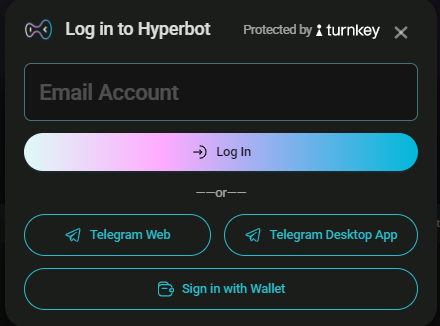
# Log in
On the web version, you need to log in to use the copy trading function. After logging in, you can track addresses, view whale activity, and copy trades with one click.
Currently supported:
1. Email login (requires Telegram account linking)
2. Telegram login (web/app version -- first-time login requires entering the phone number linked to your Telegram account)
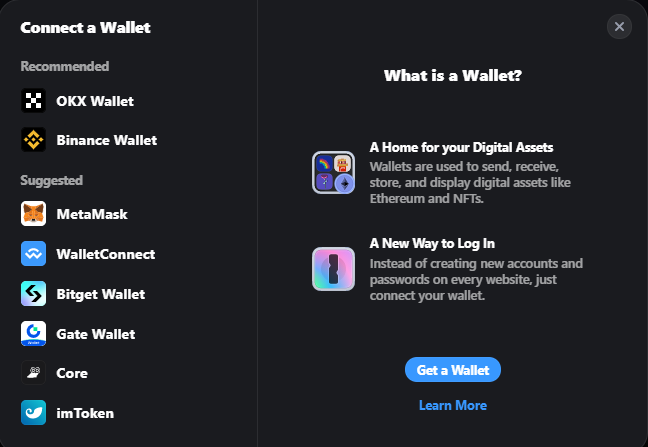
3. Wallet login (directly link to your OKX or existing Metamask wallet)
# Create wallet
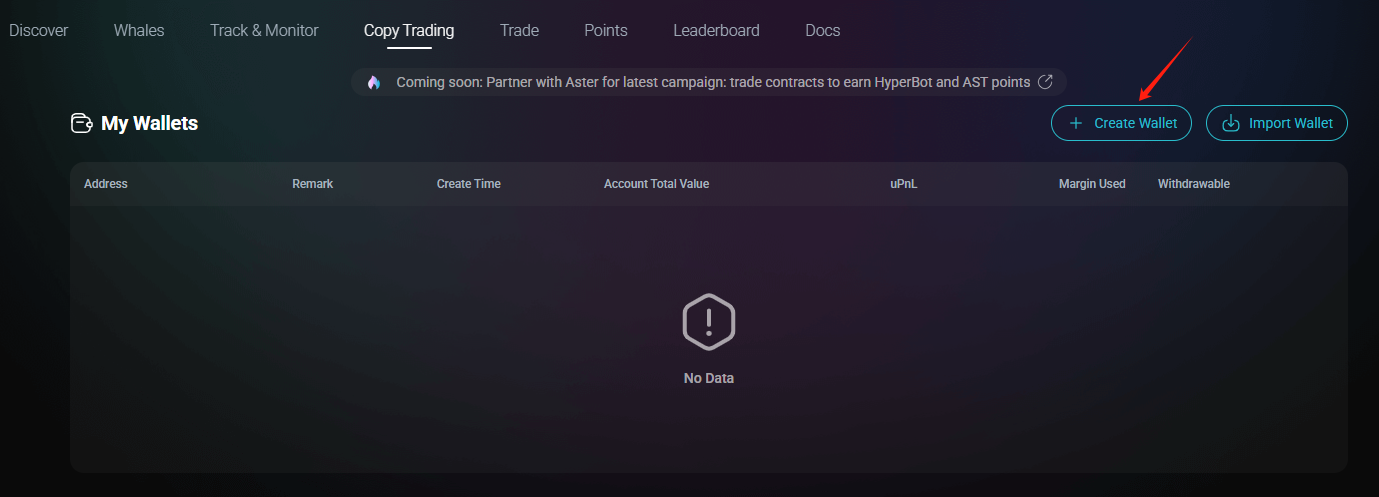
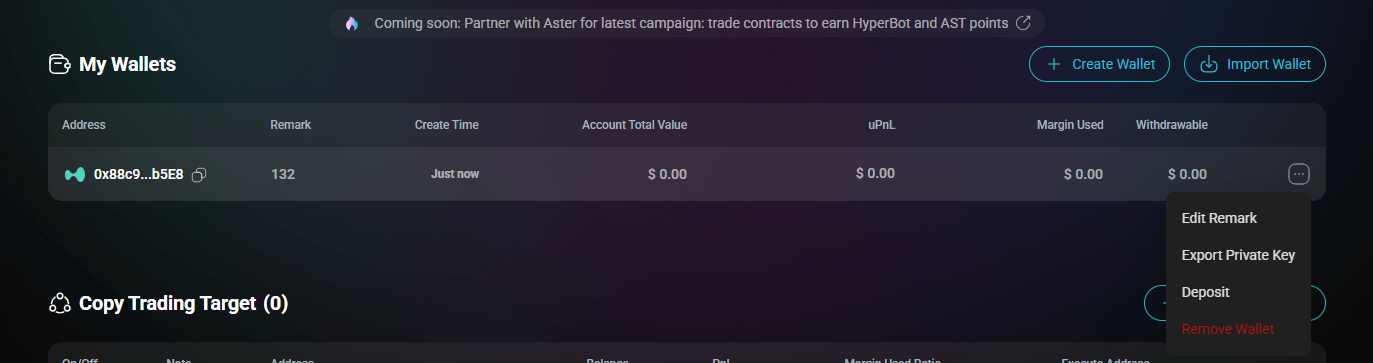
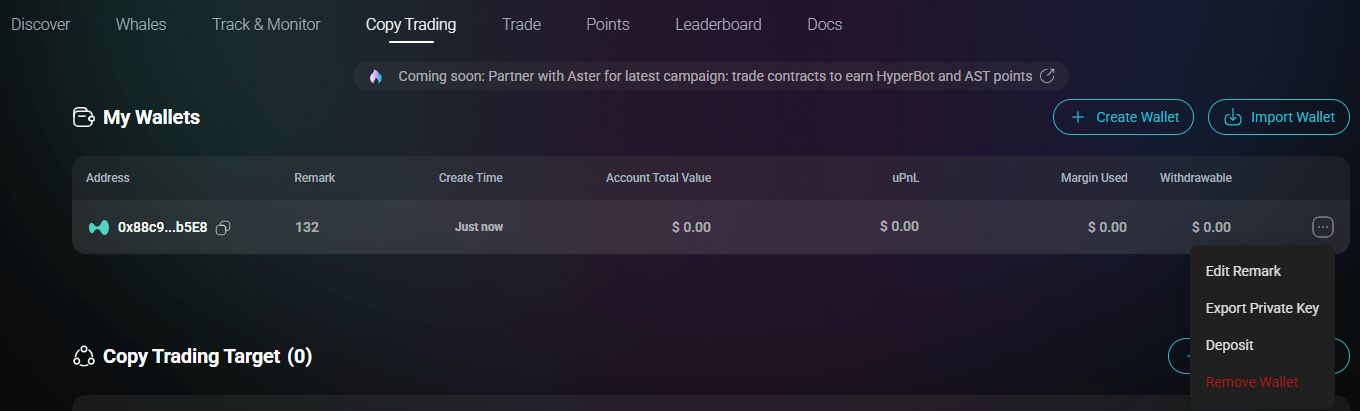
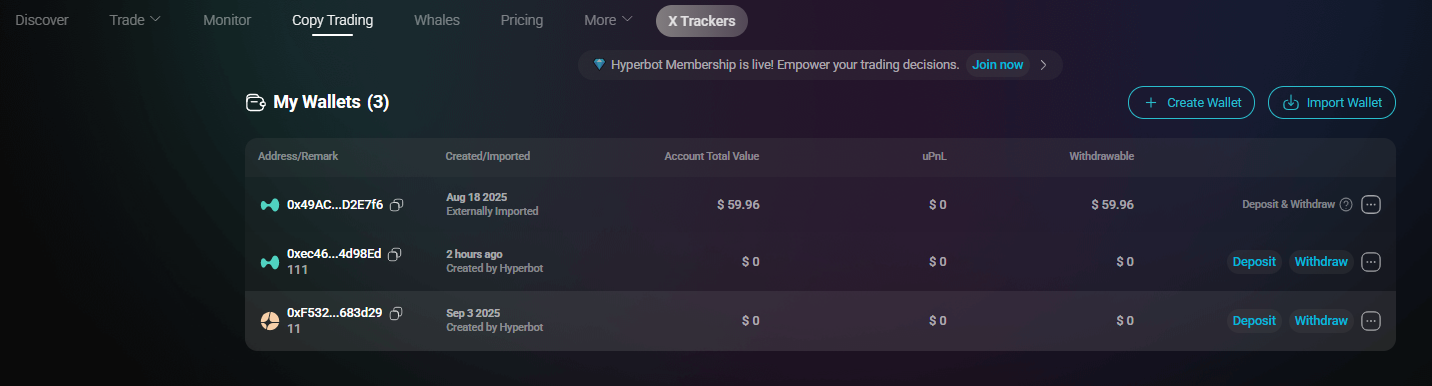
On the **Copy Trading** page, you can create a wallet for Hyperbot transactions.
**Step 1:** Click **"Create Wallet"**
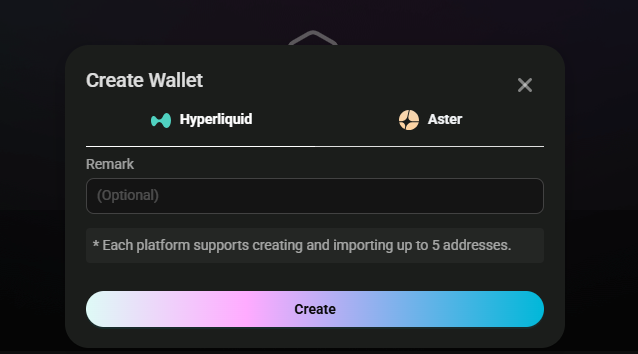
**Step 2:** Enter a wallet name and click **"Create"**.
**Step 3:** Wallet created! Click **"..."** on the right to:
・Edit remark
・Export private Key
・Deposit
・Remove wallet
# Import Wallet
If you already have a **Hyperliquid/Aster** wallet, import it via Hyperbot's *Copy Trading*page.
**Step 1:** Tap **"Import Wallet"**
**Step 2:** Select **Hyperliquid** or **Aster**, then enter:
・Wallet Address
・API Wallet Address
・API Key
・Remarks (Optional)
*Need a proxy wallet?*
👉 Create Proxy Wallet Tutorial:
# Deposit
**Step 1:**
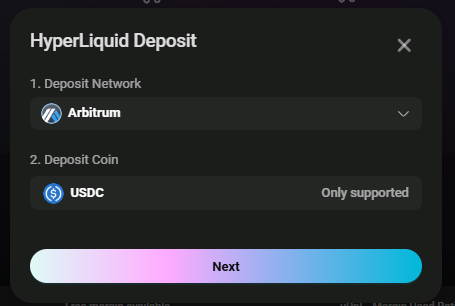
Go to *Copy Trading*→ **"My Wallets"** → Click **"..."** → Select **"Deposit"**
**Step 2:**
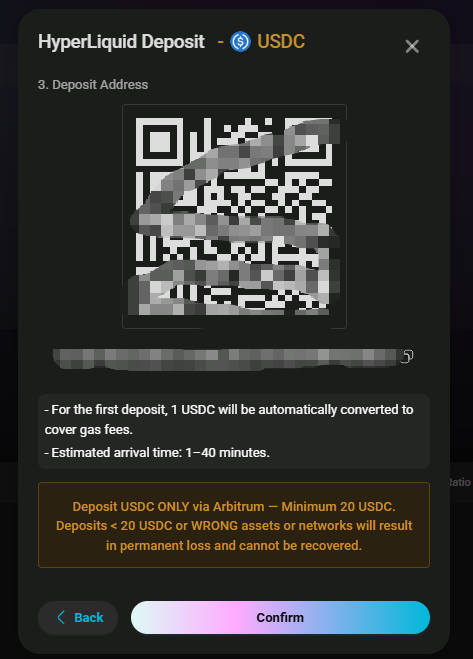
Prepare cross-chain transfer (*Minimum 20 USDC/USDT per platform,amount under 20U might not arrived*)
| Platform | Supported Networks | Accepted Token | Instructions | Warnings |
| ------------------- | --------------------- | ----------------- | --------------------------------------------------------------------------------------------------------------------------------------------- | -------------------------------------------------------------------------------------------------------------------------------------------------------------------------- |
| **Hyperliquid** | **Arbitrum ONLY** | **ONLY USDC** |
1. Copy the deposit address below 2. Send USDC from an external wallet (e.g., exchange or self-custody wallet)
1. Click "Deposit" in Aster Wallet 2. Select network (Arb/BNB) 3. Transfer USDT
|
✅ Confirmation time varies by network ❌ Other tokens not supported
|
#### **Hyperliquid Deposit:**
Please note: When making a deposit, **do not use the Hyperliquid Internal Transfer function**.
* **Incorrect Path (Internal Transfer)**: The **Internal Transfer** function is only for moving assets **internally** between different addresses on the Hyperliquid chain (e.g., between your sub-accounts). This operation occurs entirely **within the Hyperliquid chain** and does **not** trigger the cross-chain bridge to Arbitrum. Therefore, if you mistakenly use an "internal transfer" for a deposit, the funds will **never** reach the Arbitrum network
* **Correct Method**: Deposit **USDC via the Arbitrum network**. You can withdraw USDC to the Arbitrum network from a centralized exchange or another DeFi wallet, and then proceed with the deposit
***Important Notice:**** **When a user applies for asset retrieval service due to a recharge error (including but not limited to recharging the wrong currency), the platform will deduct a service fee equivalent to** ****3%**** **of the value of the returned assets upon successful refund.*
# Check Status
**My Wallet:**\
View your wallet balance, current unrealized P\&L, and detailed position information.
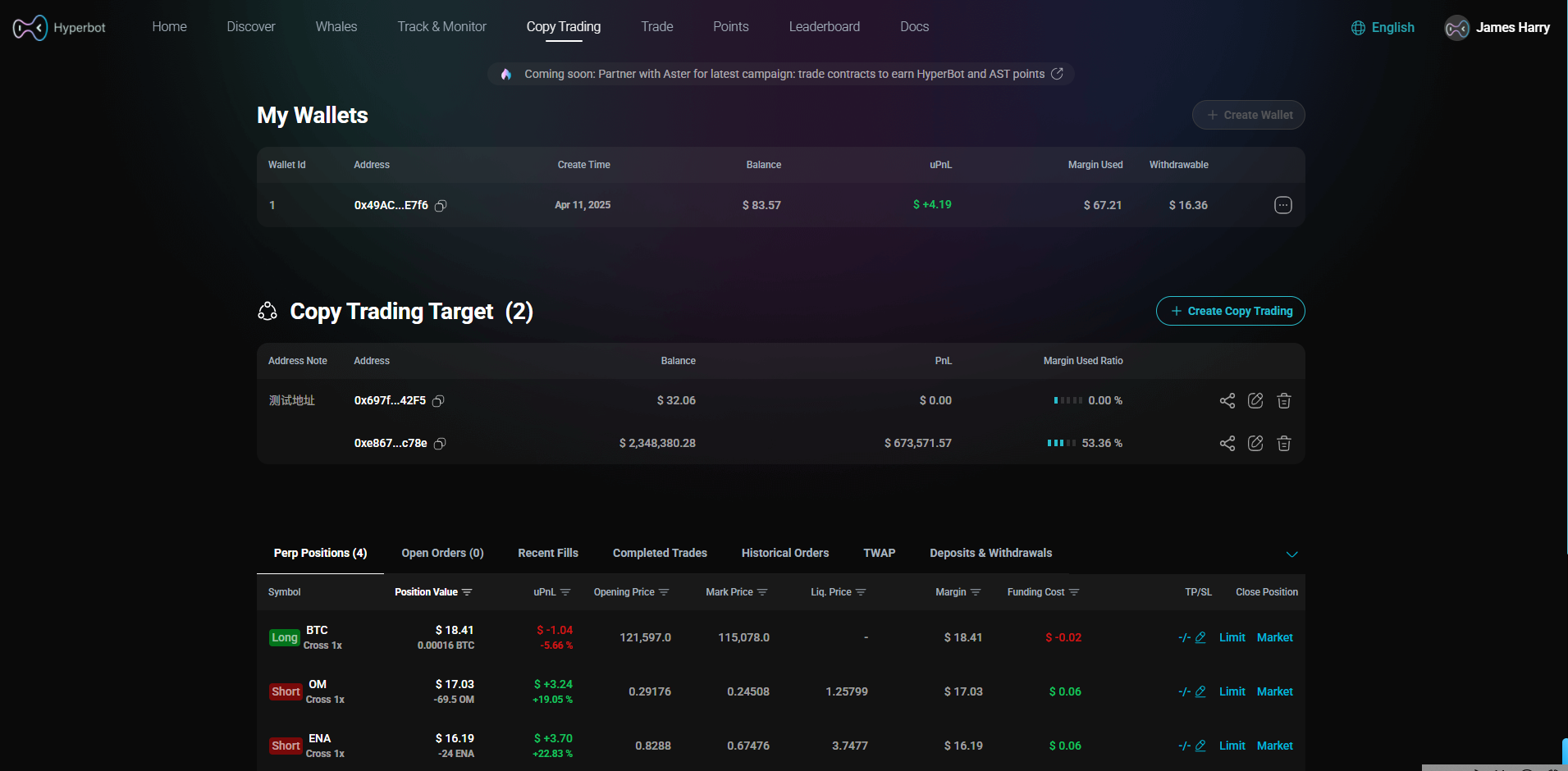
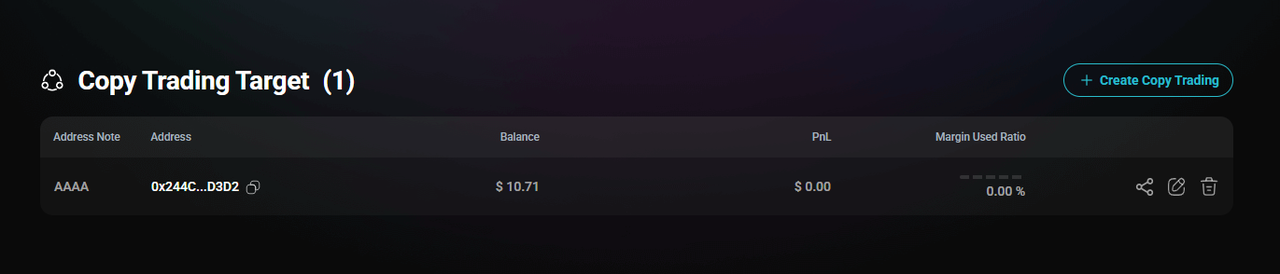
**Copy Targets:**\
Here, you can:
* Check the status and P\&L of your copy targets
* Adjust existing copy targets
* Create new copy trades
# Copy Trading
On the Copy Trading page, **you need to first discover high-performing "Smart Wallets"** (crypto wallet addresses that demonstrate consistent profitability and strong trading strategies) through intelligent analysis before selecting and mirroring their trades.
Here’s how it works:
🔍 **Discover Smart Wallets**\
The system algorithmically filters wallets with strong historical performance, effective risk control, and stable trading strategies—displaying key metrics like ROI, win rate, max drawdown, etc.
📊 **Analyze Strategies**\
You can review their trade history, holding preferences, and entry/exit timing to determine if they match your copy-trading needs.
🚀 **One-Click Tracking**\
Once selected, simply bind the wallet to **automatically sync future trades**, enabling passive copy-trading.
**Ideal for investors who want to "mirror expert trades" but lack time or experience.** The key is **first filtering quality signals, then automating execution.**
**Let’s get started!**
# Create a Copy Trade
This interface is your core panel for copy trading configuration on the Hyperbot web version. The left side shows real-time data of the "Trader/Smart Money" you intend to follow, while the right side contains the copy trading parameters you need to configure.
#### Part 1: Deep Dive into Interface Functions
Let's explain the meaning of each parameter in the image, following the order from left to right, top to bottom.
**1. Left Panel: Signal Source Preview (Trader Preview)**
This shows the real-time status of the target wallet ("Master Trader") you are viewing.
* Top Search Box (0x880...): Displays the current target trader's wallet address.
* Total Position Value: `$119,978,146...`. Shows the total value of all open positions for this trader.
* uPnL (Unrealized PnL): `$15,947,111...` (Green). Shows the floating profit/loss of the trader's current holdings. Green indicates profit, and Red indicates loss.
* Symbol List: Lists the specific coins and directions currently held by the trader:
* Short (Red): Shorting (e.g., BTC, ETH, SOL, BNB).
* Long (Green): Longing (e.g., AVAX, LTC).
* Isolated: Isolated margin mode and leverage multiplier (e.g., 11x, 12x).
* Position Value / uPnL: Specific value and PnL status for each individual trade.
**2. Right Panel: Copy Configuration (Settings)**
This is the core area where you need to take action.
A. Account Selection (Select Own Addresses)
* 0x49AC...D2E7f6: Click the dropdown menu to select which connected wallet you want to use for copy trading.
* $ 59.96: Shows the current available balance of your selected wallet.
* *⚠️ Important Note (Grey text in image): Due to price difference risks in cross-platform copy trading and minimum opening limits on platforms like Hyperliquid/Aster, Hyperbot has raised the minimum copy trading threshold to $30. If your single copy trade amount is below $30, the trade may fail.*
**B. Trade Strategy Decides whether you "follow along" or "bet against".**
* Trend Following (Currently Selected): Positive copy trading. If the trader buys, you buy; if they long, you long. Suitable for following traders with high win rates.
* Hedging (Inverse): Inverse copy trading. If the trader buys (Long), the system automatically sells (Short) for you. Typically used for hedging risks or when you consider the trader to be a "counter-indicator".
**C. Leverage Settings (Leverage)**
* Slider (1x - 40x): Sets the leverage multiplier for your copy trades.
* Current Setting (1 x): Indicates 1x leverage (no leverage). You can adjust the slider based on your own risk tolerance.
**D. Follow Buy Mode Decides "how much to buy" or "how to buy".**
* Fixed: Regardless of how much the trader buys, you open positions with a fixed amount each time (e.g., $100 per trade).
* Proportional (Currently Selected): Follows based on capital ratio. For example, if the trader uses 10% of their total funds, you also use 10% of yours. This is the most recommended mode as it maintains consistent position management.
* Maximum: Usually refers to setting an upper limit for a single copy trade to prevent excessive exposure.
**E. Follow Sell Mode Decides "how to sell" or "how to close positions".**
* Not to Sell: You do not close when the trader closes. You need to close positions manually.
* Sell Principal at 2x: An automatic profit-taking strategy. When profit reaches 2x the principal, it automatically sells the principal amount, letting the profit run.
* Proportional (Currently Selected): Fully synchronizes with the trader's selling actions. If they sell half, you sell half; if they close all, you close all. Recommended for beginners.
* TP/SL: Use your own Take Profit and Stop Loss ratios, independent of the trader's exit actions.
**F. Note**
* Optional: You can name this strategy or add a note for easier future management.
***
#### Part 2: Step-by-Step Tutorial
**If you want to create a standard copy trading task, please follow these steps:**
1. Select Your Wallet: In the top right `Select Own Addresses` dropdown, select the wallet where you have deposited funds. Ensure the balance is sufficient (suggested >$30 to meet minimum opening requirements).
2. Select Trade Strategy:
* If you trust the trader's skills, click \[Trend Following].
* If you want to bet against them, click \[Hedging].
3. Set Leverage: Drag the slider. Beginners are advised to keep it at 1x - 3x low leverage to avoid excessive risk.
4. Set Buy Mode: Recommend selecting \[Proportional]. This allows you to replicate the trader's position management logic.
5. Set Sell Mode: Recommend selecting \[Proportional]. This ensures you can stop loss or take profit in time, fully syncing with the trader's rhythm.
6. Confirm Creation: Check that all parameters are correct, then click the \[Create] button at the bottom.
#### 🔔 Final Step: Activate Bot for Notifications (Activate Bot)
After successfully creating the strategy on the web, to ensure you can track fund movements in real-time (e.g., whether copy trading succeeded, opening prices, closing profits, etc.), you need to activate the official trading bot on Telegram.
1. Find the Bot: Open Telegram and enter the bot ID in the search bar: [`@Hyperbotai_bot`](https://t.me/Hyperbotai_bot)
2. Click Start: Enter the chat window and click the \[Start] button at the bottom.
3. Done! Once activated, your web operations will be linked with Telegram. As soon as the system executes any action based on your strategy (such as auto-opening positions, taking profit, or daily trade summaries), the bot will send you a popup notification immediately.
# 管理仓位
在“跟单交易”页面,管理你的仓位。
在这里,你可以选择关闭仓位,
# Copy Trading Feature Guide
A Comprehensive Walkthrough
Preface: Key Concepts & Scenario Setup
Before we begin, let’s establish the definitions and the baseline scenario for the examples below:
* Copy Relationship: You are the Follower copying a Lead Trader (Signal Source).
* Capital Ratio: To simplify calculations, we assume a 10% ratio. If the Lead Trader trades 1 BTC, your account automatically trades 0.1 BTC.
We will use the fictional Lead Trader "BTC Master" and their Bitcoin (BTC) trading activities to demonstrate the complete lifecycle of these features.
***
#### 1. Copy Open Position
* Description: This is the foundation of copy trading. When enabled, the system monitors the Lead Trader for new opening actions. Once the Trader establishes a new position (Long or Short) for a specific asset, your account immediately replicates this action proportionally. This marks the start of following a new trading strategy.
* *Note: Defaulted to ON during setup.*
* Scenario: You follow "BTC Master" with "Copy Open Position" enabled. "BTC Master" buys 1 BTC at market price (opening a Long position). Immediately, the system automatically buys 0.1 BTC (Long) for your account.
#### 2. Copy Position Increase (Add-on)
* Description: This manages the expansion of existing holdings. If the Lead Trader adds margin or increases the size of an open position—usually to capitalize on a trend or average down costs—this feature determines if your account follows suit.
* *Note: Defaulted to ON during setup.*
* Scenario: Both you and "BTC Master" hold long BTC positions. As the price rises, "BTC Master" buys an additional 0.5 BTC. If this feature is on, your account automatically buys an additional 0.05 BTC.
* *Note: If Inverse Trading is active, this will increase your position in the opposite direction.*
#### 3. Copy Position Reduction (Trim)
* Description: This manages partial profit-taking or risk reduction. When the Lead Trader sells only a portion (not all) of their position, this feature determines if your account proportionally reduces its holding.
* *Note: Defaulted to ON during setup.*
* Scenario: BTC prices rise further, and "BTC Master" decides to secure some profit by selling 50% of their total holding. If enabled, the system automatically closes 50% of your position. If disabled, your position size remains unchanged.
* *Note: If Inverse Trading is active, this will reduce your position in the opposite direction.*
#### 4. Copy Close Position
* Description: This controls the complete termination of a trade. When the Lead Trader sells their entire position in a specific asset (flatting the position), your account will synchronize and close the entire position as well. This marks the end of the copy trading cycle for that specific trade.
* Scenario: "BTC Master" believes the trend is over and sells all remaining BTC Long positions. Regardless of whether your account is in profit or loss, the system automatically closes your entire BTC position.
#### 5. Open via Add-on (Entry on Increase)
* Description: This is a catch-up or independent entry feature. If you currently have no position in an asset (perhaps because you followed the trader *after* they opened the trade, or had "Copy Open" disabled), but the Trader subsequently *adds* to their position, the system treats this "Add" signal as an "Open" signal for you.
* *Important:* Your entry price will be the Trader’s "Add-on price," not their original entry price.
* Scenario: You missed "BTC Master's" initial BTC entry. Later, he adds to his position. With "Open via Add-on" enabled, the system opens a new BTC position for you (e.g., buying 0.05 BTC) at the current market price, effectively allowing you to enter the trade mid-stream.
#### 6. Inverse Trading
* Description: A counter-trading or hedging strategy. When the Lead Trader opens a position, the system automatically executes a position in the exact opposite direction. This is often used when a user believes the consensus is wrong or wants to hedge against market movements. Subsequent Adds/Reductions apply to this inverse position.
* Scenario: "BTC Master" buys 1 BTC (Long). If "Inverse Trading" is enabled, the system sells 0.1 BTC (Short), taking a position directly opposite to the Master.
#### 7. Copy Pending Orders (Limit Orders)
* Description: This synchronizes the Trader's strategy planning, not just immediate execution. When the Trader sets a Limit Order (e.g., "Buy BTC at 60,000"), the system places an identical Limit Order in your account. The trade only executes if the market price hits the target.
* Scenario: "BTC Master" sets a pending order: "Limit Buy 1 BTC @ 60,000". Your account automatically places a pending order: "Limit Buy 0.1 BTC @ 60,000". The trade will only execute if the price drops to 60,000.
#### 8. Liquidation Protection
* Description: An ultimate risk control mechanism. If the Lead Trader's position is liquidated (force-closed) by the exchange due to high leverage or extreme volatility, the system will immediately close your corresponding position, regardless of your own margin health. This protects you from the unpredictable market conditions that caused the Trader to crash.
* Scenario: The market crashes and "BTC Master's" Long position is liquidated due to insufficient margin. Even if your account is safe (due to lower leverage or higher balance), "Liquidation Protection" triggers immediately, closing your BTC Long position to prevent further exposure.
#### 9. Auto-Pause (Stop-Loss Protection)
* Description: A vital automated safeguard. The system monitors the PnL of every completed trade (from Open to Close) by the Lead Trader. If three consecutive trades result in a loss, the system automatically pauses following any *new* opening signals from that Trader. This prevents continuous capital drain during a Trader's "cold streak."
* Scenario: You follow "BTC Master" with Auto-Pause on.
1. Loss 1: Master Longs BTC -> Closes at a loss.
2. Loss 2: Master Shorts ETH -> Closes at a loss.
3. Loss 3: Master Longs SOL -> Closes at a loss.
* Action: Upon the third consecutive loss, the system Pauses copying. Your account will ignore any new positions opened by "BTC Master" until you manually reactivate following in the settings.
***
#### Recommended Configuration Strategies
* The "Full Mirror" (Classic):
* Enable: 1 (Open), 2 (Add), 3 (Reduce), 4 (Close), 8 (Protection).
* Logic: You completely replicate the Trader’s active management lifecycle, from entry to exit, while ensuring safety if they get liquidated.
* The "Idea Only" (Autonomous Risk):
* Enable: 1 (Open), 4 (Close).
* Disable: 2 (Add), 3 (Reduce).
* Logic: You only copy the entry and final exit points. You ignore their mid-game position adjustments, keeping your position size constant.
* Strategic & Recovery Tools:
* Use 5 (Open via Add-on) if you missed the initial boat.
* Use 6 (Inverse) for hedging or betting against a trader.
* Use 7 (Pending Orders) to capture specific price points.
* Always use 9 (Auto-Pause) to protect your capital from a Trader's poor performance streak.
# II. Telegram Bot
[ ](https://hyperbots-organization.gitbook.io/hyperbots-organization/gen-dan-jiao-cheng-cn/telegram-ji-qi-ren-ban/kai-shi-xin-shou)
# Quickstart(Newbies)
**Access the Bot**
1. Open the Hyper Trading Assistant Bot:
2. Click **/start**, select your language, and begin.
# Log in(via Email)
**Notes**:
1. Deposit at least **20 USDC** (Hyperliquid requires ≥20 USDC; **100+ USDC recommended** for flexible position adjustments).
2. **Email login is strongly advised**.
**Follow the Steps**:
Click **"Bind Proxy Wallet"** → A web window will pop up → Generate your proxy wallet.
Step 1: Make sure you join with Hyperbot invitation code.
Step 2: After selecting email login, check your email for the verification code, tick the usage policy checkbox, and click "Accept".
# Generate Wallet
Step 1: Return to the homepage, click the top-left menu, select "API", generate a proxy wallet, and copy the wallet address.
Step 2: Name your proxy API, click **"Generate"** to create the address, then copy the API Key.
# Generate API Keys
Continue from the previous step—set the validity period (max 180 days), then copy the proxy wallet key.
# Bind Proxy Wallet
Send Wallet Address and KeyReturn to the Bot page and send in order:
* Deposit wallet address(Homepage--Account--Deposit--Copy Wallet address)
* API key
# Desktop/Wallet connect
**i. Already Logged in on PC**
If you're already logged into Hyperliquid on a computer, use "Link PC Wallet" to log in.
* Step 1: Select "Link PC Wallet"
* Step 2: A QR scan page will appear
* Step 3: On the computer page, click the button in the top-right corner, hold to verify, then scan the QR code with your phone.
**ii. Connect an Existing Wallet**
To log in with another wallet on your device, select "Wallet Connect", then approve the connection in your wallet.
# Quickstart(Hyperliquid/Aster users)
Congratulations! As an existing user, we've streamlined the process for you—just complete this one simple step:
**Send your Main Wallet Address + API Key to the bot!**
Let’s get started! Here's what to do next:
**Step 1:Copy your Main Wallet Address**
* On Hyperliquid's homepage, go to:\
**Account → Deposit → Copy Wallet Address**
**Step 2:Create & Copy Your API Key**
* Generate a new API key and copy it. **Submit to the Bot**
* Send the following **in order**:
* Your **Main Wallet Address**
* Your **API Key**
Return to the homepage, click the top-left menu, select "API", generate a proxy wallet, and copy the wallet address.
Name your proxy API, click **"Generate"** to create the address, then copy the API Key.
Continue from the previous step—set the validity period **(max 180 days),** then copy the proxy wallet key.
**Step 3:Bind Your Wallet**
✅ Send in this exact order:\
1️⃣ Main Wallet Address\
2️⃣ API Key
# Importing a Hyperliquid Wallet Created by Hyperbot
If your wallet was created by Hyperbot and you want to import it to BOT, please follow these steps:
1. Go to the copy trading page:
2. On the "My Wallets" page, locate the Hyperliquid wallet labeled "Created by Hyperbot" (this wallet has been authorized and bound with an API, enabling copy trading and transactions on Hyperbot).
3. Click "Copy" for this wallet—this is the "Master Wallet" address—and send it to the bot.
4. Click the "..." in the lower right corner, select "Export Private Key," copy the API private key, and send it to the bot to complete the binding process.
# Deposit(Your Wallet)
Note: Per Hyperliquid trading rules, a minimum first deposit of 20 USDC is required (100+ USDC recommended for flexible position adjustments).Let’s Begin:
1. Return to the Hyperliquid homepage, select "Account" at the bottom left.
2. Choose "Deposit", then copy the wallet address to fund (default: Arbitrum USDC).
# Opening & Copying Positions
# Opening Positions
Freely open and adjust positions.
* Use `/coin + [symbol]` (e.g., `/coin btc`) to view data or open a position. For independent positions, configure:
* Isolated/Cross margin
* Limit or Market order
* Leverage (1-125x)
* Take-profit/Stop-loss
* Trigger price for limit orders
# Copy Trading
Follow strategies from high-win-rate traders ("smart wallets") instantly.
# Manual Copy Trading
* Click "Menu" (bottom left) → `/Copy_Trading`
* Enter the target wallet address to start. Options:
* Select leverage
* Set fixed entry amount (or leave unchanged)
* Choose whether to copy exits
* Click "Submit Order" to confirm.
# Smart Wallet Copy Trading
One-click copying:
* Select leverage
* Set fixed entry amount (or leave unchanged)
* Choose whether to copy exits
* Click "Submit Order"
# Tracking Datils
* Check your copy trade details and adjust your strategies.
* Check your postions and adjust your profits.
* Check your wallet info, withdraw or top up.
# Copy Trade Details
Click a copied wallet to view positions. Options:
1. Return to other copies
2. Cancel copy (Note: This doesn’t close positions—manage them under "Menu" → "Position Management")
3. Modify settings (e.g., TP/SL)
# Positions Status
* Click "Menu" → `/position` to view:
* Longs
* Shorts
* All positions
# Wallet Info
* Click "Menu" → `/wallet` for details.
# Leaderboards
* **Click "Menu" → `/list` to check:**
* Profit Leaderboard (Top-earning addresses)
* Popular coins (Most-traded pairs)
* Top Gainers
* Top Losers
* Volume Leaderboard
# Hyperbot Dashboard
Your AI-Powered Edge in Crypto Markets
# III. Leaderboard
The Market Sentiment Compass
Hyperbot’s **Leaderboard** delivers real-time critical data to help you:\
✅ Discover today’s **most profitable/losing pairs**.\
✅ Track top **24h gainers/losers**.\
✅ Analyze capital flows & trending assets.\
✅ Gauge market sentiment via multi-dimensional metrics.
***
#### **📊 Key Leaderboards**
**1. Profit Ranking**
* **Metrics**: Top 24h ROI pairs (symbol, price, ROI, volume).
* **Use case**:
* Identify short-term momentum.
* Confirm high volume to avoid "fakeouts."
**2. Losers Ranking**
* **Metrics**: Worst 24h performers (symbol, price, drop, volume).
* **Use case**:
* Spot panic-selling candidates.
* Hunt oversold rebounds (verify with other indicators).
**3. Volume Ranking**
* **Metrics**: Top-traded pairs (symbol, price, 24h volume, change).
* **Use case**:
* Follow institutional money trails.
* High-liquidity pairs suit large orders.
**4. New Listings**
* **Metrics**: Freshly listed Hyperliquid pairs (symbol, launch time).
* **Use case**:
* Exploit early volatility (caution: high risk).
***
#### **📈 Key Analytical Dimensions**
1. **Latest Price**: Short-term trend vs. 24h ago.
2. **24h Volume**: Higher volume = stronger conviction.
3. **8h Funding Rate**:
* Net inflows = Bullish; outflows = Bearish.
4. **Open Interest (OI)**:
* OI↑ + price↑ = Trend continuation likely.
* OI↑ + price↓ = Liquidation risk.
***
#### **🚀 Trading Strategies**
**Strategy 1: Trend Following**
1. Filter **Profit Ranking** for high-ROI, high-volume pairs.
2. Confirm with **8h funding inflows**.
3. Check **OI growth** for trend strength.
**Strategy 2: Mean Reversion**
1. Scan **Losers Ranking** for high-volume dips.
2. Look for **funding rate reversals**.
3. Verify whale accumulation (**Tracking section**).
**Strategy 3: New Listing Plays**
1. Watch **New Listings** for quality projects.
2. Enter after initial volatility settles.
3. Set tight stops (high-risk trades).
***
#### **💡 Advanced Tips**
* **Cross-verify rankings**: E.g., overlap between **Profit** and **Volume** leaders.
* **Set price alerts** for top-ranked assets.
* **Historical comparison**: Track assets’ past ranking performance.
# Invitation System
**Invitation System Design Principles**
**1.1 Invitation System Overview**
The HyperBot Invitation System serves as the core engine for platform growth, designed to convert users' social resources into tangible earnings through transparent and sustainable incentives. This system not only provides referrers with immediate, multi-tiered rebate rewards but also fosters a self-reinforcing community growth cycle by continuously incentivizing activity within their invitation network. It contributes long-term momentum to the overall ecosystem development.
**1.2 Value Realization Mechanism**
The value of the invitation system is based on the actual activity and transaction volume generated by the expanded user network. Through a clear two-tier distribution model, the system ensures referrers receive ongoing benefits from both directly invited users and their extended network, specifically including:
**Network Expansion Rewards**: A multi-level rebate structure (primary and secondary) incentivizes users to continuously grow and maintain an active invitation network.
**Monetization of Network Activity**: Key actions within the invitation network—such as trading and subscriptions—directly translate into earnings for the referrer, realizing the concept of "network as asset."
**1.3 System Synergy Effects**The invitation system creates a sustainable growth flywheel through the dual incentives of "instant rebates" and "network value," operating as follows:
# Rebate Details for Invitation System
**1. Program Overview**
The Hyperbot Referral Program allows users to earn passive income by inviting friends to join Hyperbot. Upon successful invitation, the referrer will receive corresponding rewards based on the activities of their invited friends (referred users) on the platform. Rewards are divided into the following two categories:
* **Trading Fee Rebate:**Based on the transaction fees generated by the referred user on integrated trading platforms (Hyperliquid and Aster).
* **Membership Subscription Rebate:**Based on the Hyperbot membership subscription fees purchased by the referred user.
* **Total Rebate Volume:**The total Qualified Trading Volume generated by wallets created within Hyperbot by both your direct and indirect referrals.
**2. Detailed Rebate Structure**
**2.1 Trading Fee Rebate**
When a referred user trades through Hyperbot on integrated trading platforms, the referrer receives a rebate equivalent to a portion of the trading fees paid by the referred user. The rebate rates are as follows:
| Integrated Platform | Tier 1 Rebate Rate (Direct Invitation) | Tier 2 Rebate Rate (Indirect Invitation) |
| ------------------- | ----------------------------------------- | ----------------------------------------- |
| **Hyperliquid** | 40% of the Hyperliquid Trading Fee Rebate | 10% of the Hyperliquid Trading Fee Rebate |
| **Aster** | 40% of the Aster Trading Fee Rebate | 10% of the Aster Trading Fee Rebate |
**Explanation:**
* **Tier 1 Rebate:**Comes from the trading fees generated by users you directly invite.
* **Tier 2 Rebate:**Comes from the trading fees generated by users invited by your direct referrals (i.e., your Tier 2 network).
**2.2 Membership Subscription Rebate**
When a referred user purchases any level of Hyperbot membership subscription, the referrer receives a one-time rebate.
* **Rebate Rate**: Fixed at **5%** of the subscription fee paid by the referred user.
* **Settlement Currency**: The currency used for the rebate settlement will match the currency actually used by the friend (the referred user) to pay the subscription fee. For example:
* If the friend pays with a **stablecoin**, the rebate will be settled in that **stablecoin**.
* If the friend pays with **BOT**, the rebate will be settled in **BOT**.
* **Scope of Application**: This rebate applies only to subscription purchases made by **first-level referrals** (directly invited friends).
**3. Participation Method**
* **Get Your Exclusive Referral Link:**Log in to your Hyperbot account. Go to the navigation bar, select "More" -> "Referral". On the page that opens, click "Invite Friends" to copy your unique referral link and invitation code.
* **Share the Invitation:**Share your exclusive link with friends, communities, or on social media.
* **Automatic Rewards:**Once your friends register through your link and start trading or subscribing to memberships, all rebates will be automatically calculated and credited to your account. You can track your earnings in real-time on the referral dashboard within your personal center.
**4. Terms and Conditions**
* **Eligibility:**All registered Hyperbot users are eligible to participate in this referral program.
* **Rebate Distribution:**Rebates are typically accumulated and settled on a daily basis. For specific distribution cycles and methods, please refer to the latest platform announcements.
* **Compliance:**Rewards are only counted for new users who successfully register through your official referral link.
* **Program Modification Rights:**Hyperbot reserves the right to modify or terminate this referral program and its terms at any time. Any significant changes will be notified to users through official channels.
# Points Application Scenarios (Future Plan)
* **Token Airdrop**: Points can be proportionally exchanged for future ecosystem tokens.
* **VIP Privileges**: High-point users enjoy benefits such as lower fees, exclusive signals, and priority copy-trading.
* **Points Marketplace**: Redeem trading tools, data analysis reports, and other value-added services.
# FAQ
#### Where are private keys stored?
Private keys of the wallet created on Hyperbot are stored and encrypted by Turnkey, which was founded by the team that built Coinbase Custody. Only you have access to your private key as it is stored with Turnkey’s verifiably secure enclaves.****
#### **Why can't I change the withdrawal address, and why are my funds missing?**
💡 **Solution:**
* Withdrawals are sent to the wallet address you created by default.
* The private key is stored in the "···" (three dots) next to your wallet address.
* **Steps:**
1. Copy this private key.
2. Import it into your OKX or Binance wallet.
3. You will then be able to view and manage your funds.
Note: Hyperliquid wallets can be exported to a specified address. You can enter the address you want to withdraw to in the withdrawal address box.
***
#### **Why do I receive alerts for all whale activities? How can I monitor only the addresses I set?**
#### 💡 **Operation Guide:**
1. Log in to the [**Hyperbot web version**.](https://hyperbot.network/)
2. Search for the address you want to track on the **Discovery/Whale/Homepage**, and click the "**Monitor Icon**" in the upper right corner of the address.
3. Create a new monitoring target.
4. Toggle on the "**Enable Telegram Notification**" button behind the address.
5. Receive exclusive push notifications in [@Hyperbotai\_bot](https://t.me/Hyperbotai_bot).
⚠️ **Note:** The current version supports binding between email, wallet, and Telegram accounts. You can log in via any method to synchronize your tracking information.
***
#### **I've set up copy trading, but I'm not copying new trades from the target address. Why?**
💡 **Common Reasons & Solutions:**
**🔹 Reason 1: Insufficient Opening Amount**
* System requires a minimum of **100 USDT** per trade.
* **Problem Scenario:** If you select "**Pro-rata**" mode and the target whale's position size is very small (e.g., 0.1%), your balance multiplied by this ratio may be less than 100 USDT, causing the copy trade to fail.👉 **Suggestion:** Users with smaller capital should use the "**Fixed Amount**" mode, setting a fixed amount of **100 USDT or more** per trade.
**🔹 Reason 2: Trading Pair Mismatch**
* The available trading pairs are not identical between Hyperliquid and Aster.
* If the target account trades a coin that has no corresponding trading pair on Aster, the system will automatically skip it.
**🔹 Reason 3: Low-Liquidity Token Protection Mechanism**
* For some low-liquidity tokens or trading pairs, a protection mechanism is triggered, automatically pausing copy trading to prevent excessive slippage or failed transactions.
***
#### **Why hasn't my deposit arrived after a long time?**
✅ **Checklist:**
1️⃣ Confirm you deposited to the **exclusive deposit address** on the "**Deposit**" page.
2️⃣ **Network & Token Requirements:**
* **Hyperliquid wallet** only supports **USDC on the Arbitrum network**.
* **Aster wallet** supports **USDT on Arbitrum/BNB Chain**.
3️⃣ Using the wrong network/token may lead to permanent loss of funds.
4️⃣ Minimum deposit is **20 USDT**. The first deposit will automatically deduct **1 USDT** for gas fees.
⏱ Normal processing time is approximately **1-20 minutes**.
***
#### **Why am I prompted for authorization when trading with an imported wallet?**
🔑 **Correct Setup:**
* In the "**Address**" field: Enter your wallet address.
* In the "**API Wallet Address**" field: Enter the API address generated in your Hyperliquid account (**More → API**).
* In the "**API Key**" field: Enter the secret key generated on the same Hyperliquid API page.
* **Crucial Step:** Click the "**Authorize**" button at the top of the API key management page.
***
#### **Why did my Aster rewards suddenly disappear from the wallet?**
❗ **Troubleshooting Steps:**
1. **Check Your Account:**
* Confirm you are logged into the correct trading account (especially if you have multiple accounts).
2. **Eligibility Criteria:**
* Rewards are only for **Aster wallets created on the Hyperbot platform** that conducted **transactions between Sept 3rd and Oct 2nd**.
3. **Balance Rule:**
* The withdrawable amount must be ≥ **20 ASTER tokens** (calculated as: 2.5 USDT / 0.125 USDT per ASTER = 20 ASTER). Amounts below this threshold cannot be withdrawn.
***
#### **How do I start my first copy trade? (First-Time User Guide)**
📚 **Tutorial Guide:**
{% content-ref url="/spaces/mskbSePPeM33HwP2FVNt/pages/Je52S8Y70CF5XG01IA8N" %}
[Copy Trading](/get-started/copy-trading)
{% endcontent-ref %}
***
# Risk Disclosure & Fund Security
### Q: What is Hyperbot?
Hyperbot is an AI-powered, full-chain DEX perpetual trading gateway that provides data analytics, whale tracking, intelligent copy-trading, and strategy execution.
Hyperbot is an independent third-party tool and does not custody user funds.
***
### Q: Is my money safe when using copy-trading?
We recommend choosing the appropriate setup based on your capital size. The core principle is: the larger your funds, the more they should remain in your own account.
#### Small-scale usage
If you are just exploring copy-trading performance, we recommend starting with a small amount of capital to test and observe the system, and gradually increasing exposure once you understand the mechanism.
#### Large-scale trading
If you are trading with a larger amount of capital (over USD 10,000), we recommend creating an API wallet (also referred to as a proxy wallet) in your official Hyperliquid account and using it with Hyperbot.
In this setup, your funds always remain in your own Hyperliquid account. Hyperbot only executes trades according to your configured strategy and does not have access to your principal.
For key management, Hyperbot uses Turnkey’s non-custodial wallet infrastructure to ensure security at the foundational level.
That said, no software system can fully eliminate technical, operational, market, or third-party risks. Please allocate your capital according to your own risk tolerance.
***
### Q: What risks should I be aware of when using Hyperbot?
Using Hyperbot may involve, but is not limited to, the following risks:
* Smart contract risk — vulnerabilities or exploits in contract code
* System or service disruption risk — maintenance, downtime, or network failures may prevent strategy execution
* API or exchange interface risk — rate limits, interface changes, or failures on the exchange side affecting order execution
* Fund security risk — improper storage or leakage of private keys or API keys
* Copy-trading execution deviation risk — delays, slippage, or insufficient liquidity may cause execution differences from target wallets
* Market volatility and liquidation risk — extreme price movements may result in losses or forced liquidation
* Third-party service provider risk — failures in underlying infrastructure (such as Turnkey, Hyperliquid, etc.)
Past performance of any wallet, trader, or strategy does not guarantee future results. All trading decisions and their outcomes are solely the responsibility of the user.
***
### Q: What happens if something goes wrong?
We continuously invest in security and system stability to minimize the above risks.
For losses directly caused by Hyperbot’s own system failures or material negligence, the maximum compensation per individual customer is capped at 10,000 USDT.
However, losses caused by market volatility, liquidation, user error, key leakage, or failures of third-party service providers (including exchanges, Turnkey, Hyperliquid, etc.) are not eligible for compensation.