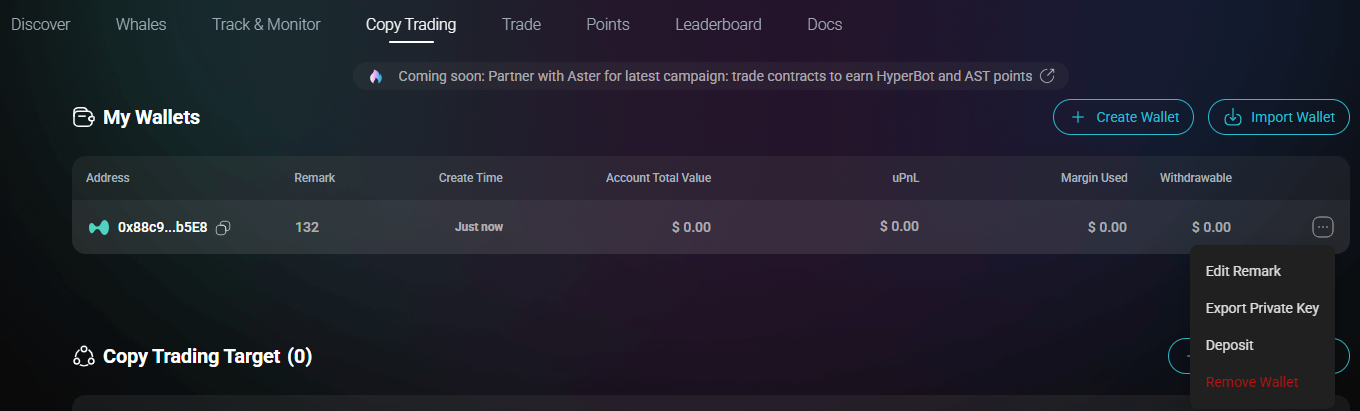
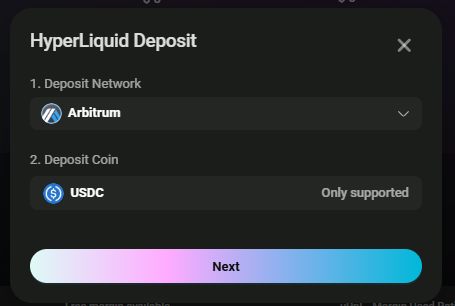
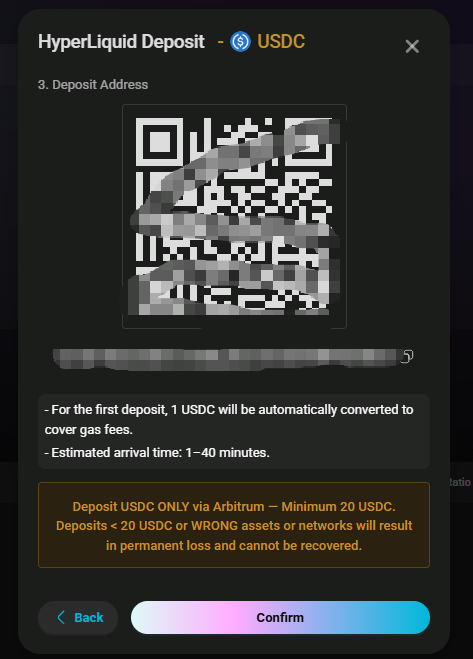
1. Click "Deposit" in Aster Wallet 2. Select network (Arb/BNB) 3. Transfer USDT
|
✅ Confirmation time varies by network ❌ Other tokens not supported
|
#### **Hyperliquid Deposit:**
Please note: When making a deposit, **do not use the Hyperliquid Internal Transfer function**.
* **Incorrect Path (Internal Transfer)**: The **Internal Transfer** function is only for moving assets **internally** between different addresses on the Hyperliquid chain (e.g., between your sub-accounts). This operation occurs entirely **within the Hyperliquid chain** and does **not** trigger the cross-chain bridge to Arbitrum. Therefore, if you mistakenly use an "internal transfer" for a deposit, the funds will **never** reach the Arbitrum network
* **Correct Method**: Deposit **USDC via the Arbitrum network**. You can withdraw USDC to the Arbitrum network from a centralized exchange or another DeFi wallet, and then proceed with the deposit
***Important Notice:**** **When a user applies for asset retrieval service due to a recharge error (including but not limited to recharging the wrong currency), the platform will deduct a service fee equivalent to** ****3%**** **of the value of the returned assets upon successful refund.*