> For the complete documentation index, see [llms.txt](https://docs.hyperbot.network/llms.txt). Markdown versions of documentation pages are available by appending `.md` to page URLs; this page is available as [Markdown](https://docs.hyperbot.network/get-started/copy-trading/web-version/log-in/create-wallet.md).

# Create wallet

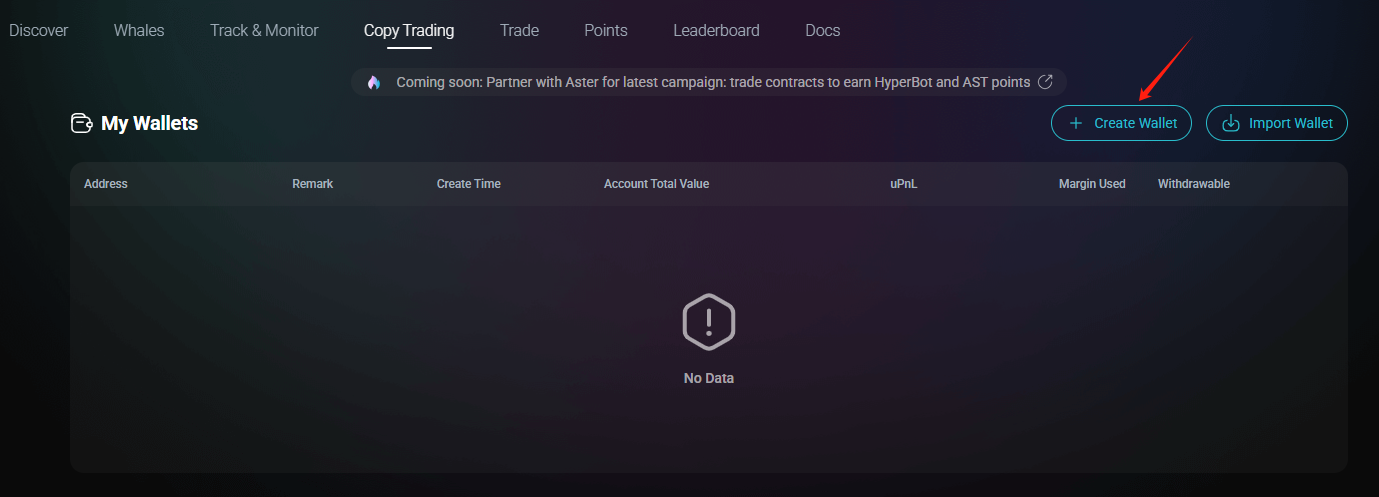
​On the ​**​Copy Trading​**​ page, you can create a wallet for Hyperbot transactions.

​**​Step 1:​**​ Click ​**​"Create Wallet"​**

<figure><img src="https://2489315887-files.gitbook.io/~/files/v0/b/gitbook-x-prod.appspot.com/o/spaces%2FmskbSePPeM33HwP2FVNt%2Fuploads%2FcMvzSvANzzchhyXEy96y%2Fimage.png?alt=media&#x26;token=99cde93d-4dfb-470a-838a-566e542de07f" alt=""><figcaption></figcaption></figure>

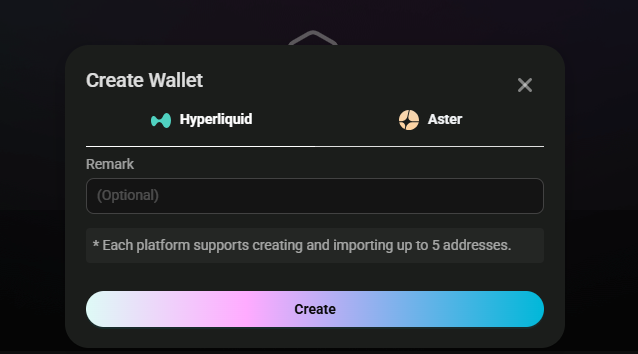
**Step 2:​**​ Enter a wallet name and click ​**​"Create"​**​.

<figure><img src="https://2489315887-files.gitbook.io/~/files/v0/b/gitbook-x-prod.appspot.com/o/spaces%2FmskbSePPeM33HwP2FVNt%2Fuploads%2F70OgtSq3egm4lLYe8QCQ%2Fimage.png?alt=media&#x26;token=3159a954-1383-4b8b-9519-75b715e27c10" alt=""><figcaption></figcaption></figure>

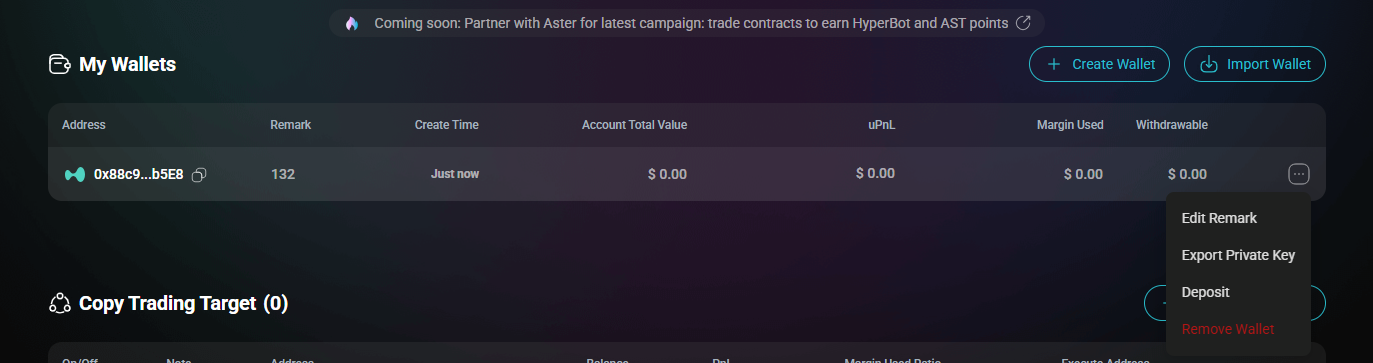
**Step 3:​**​ Wallet created! Click ​**​"..."​**​ on the right to:

・Edit remark

・Export private Key

・Deposit

・Remove wallet
<figure><img src="https://2489315887-files.gitbook.io/~/files/v0/b/gitbook-x-prod.appspot.com/o/spaces%2FmskbSePPeM33HwP2FVNt%2Fuploads%2FQx79ybk9EGgmCOGWslOq%2Fimage.png?alt=media&#x26;token=aaa206dc-e928-4259-8aa2-3b1c90dea17a" alt=""><figcaption></figcaption></figure>